
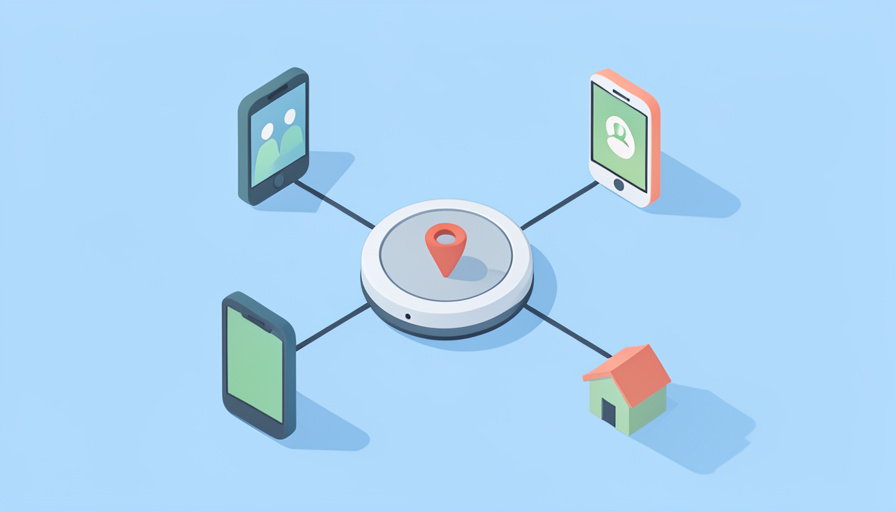
The tracker sounded simple until you tried to make it work for the whole family. You are on Android, your partner has an iPhone, one kid wants the dog’s tag, the other keeps losing the keys. AirTags would be easy if everyone lived in Apple’s world, but half your family does not, and a tag one person can see is not much use when the person who needs it is someone else. Picking the right tracker for a mixed, sharing household takes more thought than grabbing whatever is on the shelf.
An AirTag alternative for Android family life is chosen on more than which tag rings loudest: the finding network, whether a tag can be shared among several relatives, and how a mixed iPhone-and-Android household all see the same location. Get those right and everyone can locate the shared things that matter; get them wrong and you own a drawer of tags only one person can use. Here is how to think through the decision so the tracker actually fits your family.
Quick Take
- Start with the network: for Android, a tracker on Google’s Find My Device network gets the wide crowd-finding coverage AirTag reserves for iPhones.
- Check sharing: confirm the tag can be shared with several family members, and that a mixed iPhone-and-Android household can all see it.
- Then weigh battery, anti-stalking protection, and the total cost for the number of tags your family needs.
Why AirTag Falls Short for a Mixed Family
AirTag is excellent in an all-Apple household and frustrating in any other. Its finding relies on Apple’s network of iPhones, and setting up and locating a tag needs an iPhone, so an Android parent simply cannot use one to track their own belongings. Even within Apple, sharing has limits. For a family that mixes iPhone and Android, or is entirely on Android, that makes AirTag the wrong starting point. The good news is that the alternatives have caught up, with Android’s own finding network and cross-platform trackers that are built for exactly the sharing a family needs, so you are choosing among genuinely capable options.
Decision Factor 1: The Finding Network
The single most important choice is which network the tracker uses to locate things when they are out of Bluetooth range. For Android users, a tag on Google’s Find My Device network taps into the huge crowd of Android phones to report a location, the equivalent of what AirTag gets from iPhones. Some trackers run their own network across both platforms instead. Whatever you pick, make sure its network actually covers the phones your family carries, because a tracker with no relevant crowd behind it only works within Bluetooth range. This factor decides whether a lost item can be found across town or just across the room.
Decision Factor 2: Shared and Family Access
For a family, the ability to share a tag matters as much as finding it. Check whether the tracker lets you share an item with several people, so a parent and a teen can both locate the shared car keys or the dog. Support for sharing a tag with multiple family members varies by system, so confirm it explicitly rather than assuming. The best setups let each family member see the shared tags on their own phone. Without this, you end up with tags tied to one account that nobody else can use, which defeats the purpose of tracking things the whole household relies on.
Decision Factor 3: Mixed iPhone and Android Households
Many families are not all on one platform, and that is where cross-platform support earns its keep. If some relatives use iPhones and others use Android, look for a tracker whose app and network let both see the same tag, either through a service that runs on both platforms or by choosing a network everyone can access. Some trackers commit to one ecosystem per tag, which is fine if your household is uniform but a problem if it is mixed. Confirming that an iPhone parent and an Android teen can both locate the shared item is the practical test that separates a family-friendly tracker from a single-user one.
Decision Factor 4: Battery, Safety, and Cost
With the essentials settled, weigh the practical details. A replaceable coin battery means a dead tag is a cheap swap rather than a throwaway, which adds up across a family’s worth of trackers, though some rechargeable models avoid buying batteries at all. Anti-stalking protection matters for a household with children, and modern phones now alert users to unknown trackers moving with them, so favor tags covered by that. Finally, price the total for the number of tags you need, since multipacks change the math, and factor any subscription. Balancing these against the network and sharing decisions gives you a tracker that fits both your devices and your budget.
At a Glance: What to Confirm Before Buying
| Factor | What to confirm |
|---|---|
| Finding network | Covers your family’s phones (Google Find My Device for Android) |
| Shared access | A tag can be shared with several family members |
| Mixed household | Both iPhone and Android users can see the same tag |
| Battery | Replaceable coin cell or rechargeable, your preference |
| Anti-stalking | Covered by phones’ unknown-tracker alerts |
| Cost | Total for the number of tags, plus any subscription |
Networks, sharing features, and prices change, so verify each point for your specific phones and the current version before buying.
Turning the Factors Into a Choice
Once you know your family’s phones and sharing needs, the shortlist writes itself. An all-Android or mostly-Android family is usually best served by a tracker on Google’s Find My Device network with tag sharing, while a truly mixed household leans toward a cross-platform option both sides can see. From there, battery preference and cost break the tie. Rather than agonizing over brands first, answer the factors above, then pick a well-reviewed tag that meets them. For the specific models that fit these criteria, including options with replaceable batteries and anti-stalking coverage, see our companion roundup and compare them against the needs you have just identified.
Frequently Asked Questions
Can my whole family share one tracker tag?
With many alternatives, yes, but you must confirm it for the specific system. Some trackers and networks let you share a tag with several people, so a parent, partner, and teen can all locate the shared keys or a pet on their own phones, while others tie a tag to a single account. Because this varies, check the sharing feature explicitly before buying, especially the maximum number of people and whether it works across different phones. For a family, this is often the deciding factor, since a tag only one person can see does not help the household member who actually misplaced the item.
What works if some of us have iPhones and others have Android?
Look for a cross-platform tracker whose app and finding work on both systems, so everyone sees the same tag regardless of phone. Trackers that run their own network across both platforms, or ones you can set up on a network each family member can access, handle a mixed household best. Avoid tags locked to a single ecosystem unless your whole family is on that platform. The practical test is simple: confirm that an iPhone user and an Android user can both add the same tag and locate it. If the product cannot promise that, it is built for a uniform household, not a mixed one.
Do Android trackers work as well as AirTags?
For Android users, yes, and often better for a family, because AirTag cannot be used to track your own items from an Android phone at all. Trackers on Google’s Find My Device network use the large crowd of Android phones to locate items much as AirTag uses iPhones, giving comparable range in populated areas. Add tag sharing and cross-platform support, and an Android-friendly tracker does everything a family needs. The main variables are the exact network coverage where you live and the individual tag’s features, so choose based on the factors here rather than assuming Apple’s option is automatically superior.
Are family trackers safe from being misused to follow someone?
Modern phones have built-in protections that help. Both Android and iPhones can now alert a person when an unknown tracker from the major networks appears to be traveling with them, which is designed to prevent tags being used to stalk. When choosing a family tracker, favor one covered by these unknown-tracker alerts. Within a family, use trackers for shared belongings and pets rather than to covertly monitor another person, and keep sharing consensual, especially with older children. The technology is meant to find your things, and the anti-stalking features exist precisely so it is not turned into a tool for following people without their knowledge.
Pick the Tracker the Whole Family Can Use
The right AirTag alternative for a family is not the flashiest tag but the one that fits how your household actually works: the network that covers your phones, sharing that lets several relatives see the same tag, and cross-platform support if you mix iPhone and Android, with battery, safety, and cost settled after. Answer those factors first and the choice becomes obvious, and everyone can find the shared things that always seem to wander off. For the specific models that meet these criteria, see our roundup of AirTag alternatives for Android with replaceable batteries, or browse Wayodd’s Lifestyle section.