
You spend twenty in cash at the market, five on a coffee, ten on parking, and none of it shows up in the app that swears it tracks your money. If your budget only sees what a card touched, it is missing the part of your spending you most need to watch.
Finding a budgeting app manual cash tracking supports means you can record the cash you spend by hand and keep your budget honest, rather than pretending physical money does not exist. Some of these apps sync with your bank and still let you add cash; others skip bank connections entirely and run on manual entry alone. Here are twelve, compared on how each handles cash and hand-entered transactions. Features and pricing change, so confirm the current details before you commit.
Quick Take
- Several mainstream apps like YNAB, Simplifi, and Monarch sync with banks but still let you add a cash account and log transactions by hand.
- Manual-first apps like Goodbudget, EveryDollar, and Money Manager work entirely without a bank login.
- For pure cash logging with nothing to connect, Spending Tracker and Fudget are the simplest picks.
Table of Contents
How We Chose These
We looked for apps that let you record cash and hand-entered transactions, beyond automatic bank feeds, since that is the gap that trips up real budgets. Some are sync-first apps that happen to keep solid manual tools; others are built for manual entry from the ground up and never ask for a bank login. We spread the list across budgeting styles and prices, from zero-based systems to plain expense logs, so there is a fit whether you use a little cash or a lot.
This article is general information, not financial advice. App features, pricing, and account policies change, and the right tool depends on your habits. Review each app’s privacy terms before entering financial details, and for decisions about your money, consult a qualified professional.
1. YNAB
YNAB is best known for bank sync, but its manual tools are genuinely strong. You can create a dedicated cash account and enter every purchase by hand, and its zero-based method, giving each dollar a job, works completely offline if you prefer. For people who want a rigorous system that still respects cash spending, it is a top pick, though it is a paid subscription. See YNAB.
2. Quicken Simplifi
Simplifi builds a spending plan around your income and bills, and it lets you add manual transactions and manual accounts alongside the automatic feeds. That means cash spending and an offline wallet can sit right next to your synced accounts in one view. It is one of the more affordable paid options, and a tidy choice if you want structure without abandoning manual entry for your cash.
3. Monarch Money
Monarch leans on bank sync and shared household budgeting, but it supports manual accounts and manual transactions too, so you can log cash and keep it in the same picture as your linked accounts. It suits couples who mostly bank digitally yet still deal in some cash. The catch is price, since it is a paid subscription with no lasting free tier. See Monarch Money.
4. PocketGuard
PocketGuard is known for showing what is safe to spend, and it includes a manual mode where you add cash and transactions yourself rather than linking a bank. Its “in my pocket” figure still works from your hand-entered numbers, so cash-heavy users get the same leftover-to-spend view. A free tier covers the basics, with a paid plan adding more control.
5. Goodbudget
Goodbudget is built around manual cash tracking, using the envelope method with no bank connection on its free plan. You portion your income into envelopes and log spending, including cash, by hand, which keeps you close to every dollar. It syncs across two devices for a household and is a natural fit for anyone who thinks in cash envelopes rather than card statements.
6. EveryDollar
EveryDollar uses zero-based budgeting, and its free tier runs entirely on manual entry, so you type in cash purchases as you make them. The interface is clean and beginner-friendly, which makes hand-logging feel less like a chore. Bank connection is the paid upgrade, so on the free plan every transaction, cash included, is one you enter yourself. See EveryDollar.
7. Actual Budget
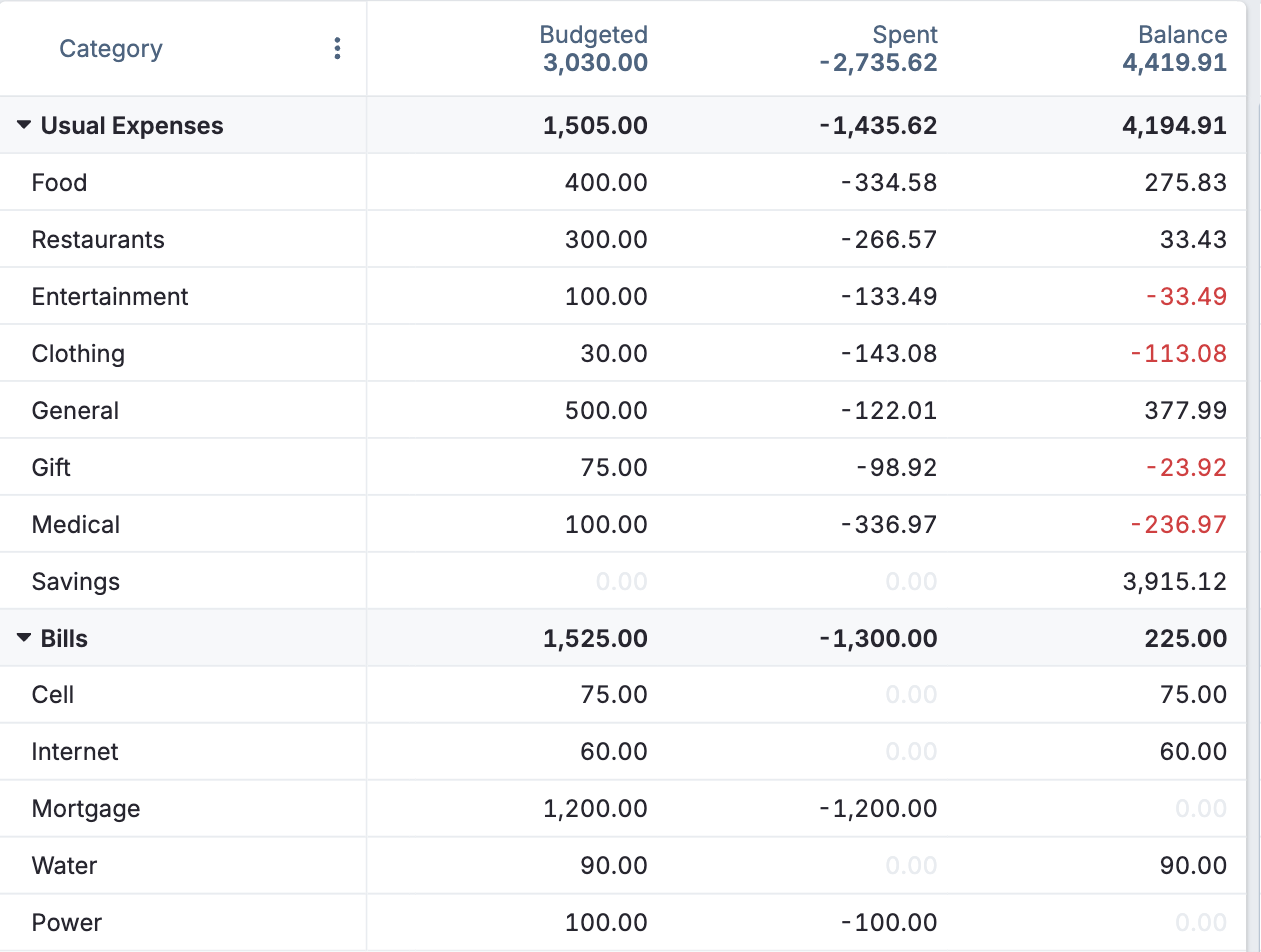
Actual is open-source and local-first, storing your data on your device, and it fully supports manual and cash accounts alongside imports you control. You can add a cash account, enter transactions by hand, and run the whole budget without ever linking a bank. It is free, and it suits privacy-minded budgeters who want a powerful manual system. See Actual Budget.

8. Copilot
Copilot is a design-forward app for Apple users with smart categorization and a pleasant interface, and it supports manual accounts and transactions so cash fits in cleanly. For iPhone and Mac owners who will actually open the app daily, logging a cash purchase takes seconds. It is Apple-only and a paid subscription, which are the main limits to weigh against its polish.
9. Spending Tracker
Spending Tracker is a free app built for one job: logging daily expenses by hand, with no account and no bank connection. It is about as simple as manual cash tracking gets, letting you record what you spend and see it by category and period. For someone who just wants to capture cash spending without a whole budgeting system, it is quick and painless.
10. Money Manager
Money Manager, from Realbyte, works like a digital cash book, with cash accounts, offline entry, and a double-entry style that appeals to careful trackers. It runs fine without any bank link, so you record income and expenses, cash included, yourself. A free version covers daily tracking, with a paid tier adding backups and extras for people who want more than the basics.
11. Spendee
Spendee offers a manual “cash wallet” you top up and spend from, so physical money gets its own tracked pool separate from any linked accounts. You can run it purely manually or mix in optional bank connections where available. Its colorful, visual style makes hand-logging feel approachable, which helps if past attempts at manual tracking fizzled out on you.
12. Fudget
Fudget strips budgeting down to a simple running list of income and expenses, with no categories to maintain and no bank login anywhere. For cash-only tracking, or for anyone who found the bigger apps too fussy, it is a refreshingly plain place to jot what came in and what went out. It will not enforce a method, but it captures cash spending in seconds.
The Takeaways
- Sync-first apps like YNAB, Simplifi, Monarch, and Copilot still let you add a cash account and log spending by hand.
- Goodbudget, EveryDollar, Actual Budget, and Money Manager run entirely without a bank login.
- Spending Tracker, Spendee, and Fudget are the simplest ways to capture cash with little setup.
- Match the app to how much cash you use, and confirm current pricing and privacy terms before committing.
Frequently Asked Questions
What is the best budgeting app for tracking cash?
It depends on your style. For a full system that still respects cash, YNAB lets you keep a cash account and enter spending by hand. For envelope-style cash budgeting with no bank link, Goodbudget is the classic pick. If you just want to log cash quickly, Spending Tracker or Fudget do that with almost no setup. All three keep cash visible in your budget.
Can I use a budgeting app without linking my bank?
Yes. Many apps offer full manual entry, including Goodbudget, EveryDollar’s free tier, Actual Budget, Money Manager, and Fudget, none of which require a bank connection. Even sync-first apps like YNAB and Simplifi let you add manual and cash accounts. Manual entry takes a little more effort, but it keeps your data off third-party servers and includes the cash automatic feeds miss.
Why doesn’t my budgeting app show cash spending?
Because apps that rely on bank sync only see card and account transactions, not the cash in your wallet. Unless you add cash purchases manually, they simply do not appear, which quietly understates your spending. The fix is either an app with a manual cash account you update, or a habit of logging each cash purchase as you make it.
Are manual budgeting apps better for beginners?
Often, yes. Entering transactions by hand, cash included, makes you notice each purchase, which builds awareness faster than a feed that categorizes everything automatically. Beginners frequently learn more from a few weeks of manual logging than from months of passive tracking. Once the habit sticks, you can decide whether to add bank sync or stay fully manual.
Do free budgeting apps let you track cash?
Several do. Goodbudget’s free plan, EveryDollar’s free tier, Actual Budget, Spending Tracker, and Money Manager all support manual cash entry at no cost. Free tiers may limit accounts or features, but they handle the core job of recording cash. Try one alongside your normal spending for a couple of weeks to see whether manual tracking fits how you actually manage money.
Log the Cash, Keep the Budget Honest
A budget that ignores cash is only telling you part of the story. If you want a full system, YNAB, Simplifi, and Monarch keep manual tools alongside their sync, while Goodbudget, EveryDollar, and Actual Budget run on manual entry alone, and Spending Tracker, Money Manager, and Fudget make quick cash logging effortless. Pick the one you will actually open when you break a bill, confirm today’s pricing, and your budget will finally match your wallet. For more on managing money simply, browse Wayodd’s Business & Finance section.