
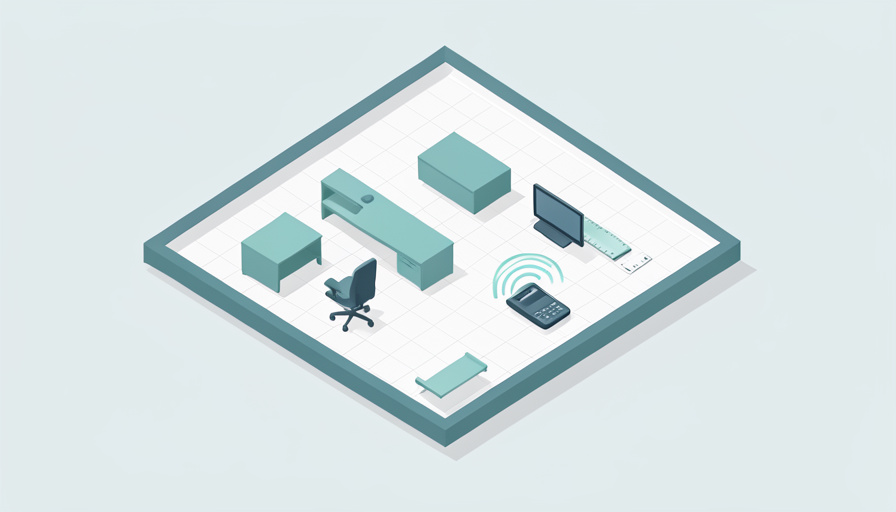
You measured the room, sketched a plan on the back of an envelope, ordered the desk, and discovered on delivery day that once it is in place the chair cannot pull out without hitting the door. A home office is usually a tight space where every inch counts, and eyeballing it rarely works. The fix is to see the layout to scale before you commit, and there are tools that will draw that plan for you from the numbers you already have.
The right home office layout tool measurements-first turns your room’s real dimensions, or even a phone scan of the space, into a scaled floor plan, so the desk you love actually fits before you buy it. Some let you type in wall lengths and drop in furniture; the newest ones scan the room with your camera and generate the plan automatically. Here are eight tools that build a floor plan from your measurements, and how they compare.
Quick Take
- For the least effort, a scan-to-plan tool like MagicPlan measures the room with your phone and draws the floor plan for you.
- For a polished, furnished layout, RoomSketcher and Planner 5D let you enter dimensions and place a desk, chair, and shelves in 2D and 3D.
- For a free, no-catch option, Sweet Home 3D handles precise measurements offline, and several tools offer capable free tiers.
Table of Contents
What to Look For in a Layout Tool
Before the list, here is what matters for planning a home office from measurements:
- Measurement input or scanning. You want to either type in exact wall lengths or scan the room, so the plan is truly to scale.
- 2D and 3D views. The 2D plan checks clearances and fit; the 3D view helps you picture the finished space.
- A furniture library. Ready desks, chairs, monitors, and shelves let you test real arrangements rather than blank boxes.
- A free tier. For a one-room project, you should not have to pay much, if anything, to get a usable plan.
- Ease of use. A tool you can learn in an evening beats professional software you never finish setting up.
1. MagicPlan
MagicPlan is the standout when you want the least manual work, because it captures the room with your device’s camera and turns those field measurements into a floor plan. Instead of typing wall lengths, you scan, and the app builds the scaled plan for you, which is ideal for an oddly shaped office or when you would rather not measure by hand. The MagicPlan approach suits capturing a real space quickly, though it leans more toward measurement and documentation than heavy interior styling. For turning an actual room into a plan fast, it is the easiest starting point.
2. RoomSketcher
RoomSketcher is a polished middle ground that draws professional-looking plans in minutes. You enter your measurements or draw the walls, then furnish the space from a large library, and it produces both 2D floor plans and 3D renders, including interactive views. The RoomSketcher free version covers a basic plan, with a paid tier for higher-quality output. For a home office you want to see rendered realistically, with the desk, chair, and storage placed to scale, it strikes a strong balance between capability and approachability.
3. Planner 5D
Planner 5D is among the easiest tools to learn, letting you draw walls, set dimensions, and place furniture, then flip to 3D with no training. It has a large default catalog and solid mobile apps, so you can plan on a phone or tablet as easily as a computer. A free tier gets you going, with paid options unlocking more content. For a beginner who wants an attractive, furnished layout of a home office without a learning curve, Planner 5D is a friendly, capable choice that handles the measurement-to-plan job smoothly.
4. Floorplanner
Floorplanner is a web-based tool built for quick, clean plans with measurable sizing. You input the room’s dimensions, lay out walls and furniture, and switch between 2D and 3D, with tidy exports that look presentable. It suits anyone who wants repeatable, accurate drafts without installing software, and it is quick to produce a shareable plan. For a home office where you mainly need an exact, well-presented layout rather than photorealistic rendering, Floorplanner gets you there efficiently from the numbers you enter.
5. Sweet Home 3D
Sweet Home 3D is the free, no-strings pick, an open-source program that runs offline and takes precise measurements seriously. You draw walls to exact dimensions, drop in furniture from its library, and view the result in 2D and 3D, all without a subscription or an account. It is less flashy than the polished web tools, but it is dependable, private, and completely free, which makes it excellent for a budget-conscious one-room project. For accurate, offline home-office planning at no cost, Sweet Home 3D is hard to beat.
6. Space Designer 3D
Space Designer 3D is another easy, web-based option that emphasizes accurate measurements and a gentle learning curve. You draw the room to scale, furnish it, and view it in 3D, with the tool aimed at people who want correctness without complexity. It sits close to Planner 5D in approachability while keeping the focus on getting dimensions right. For someone who wants a straightforward, measurement-accurate plan of a compact office and values simplicity over an enormous furniture catalog, it is a comfortable fit.
7. HomeByMe
HomeByMe is a free 3D home design tool with a generous furniture catalog, good for visualizing a home office within the context of a room or a whole home. You set the dimensions, arrange furnishings, and produce 3D views, which helps when the office shares space with other functions, like a guest room or a corner of the living room. Its strength is the realistic furnished look on a free tier. For picturing how the office will feel, rather than only fit, HomeByMe adds helpful visual polish.
8. Live Home 3D
Live Home 3D is a strong choice in the Apple ecosystem, offering precise measurement entry and detailed 3D on Mac and iPad, with augmented-reality features on supported devices. You build the room to exact dimensions, furnish it, and can even view the plan overlaid in your actual space through AR. It is more of a paid, feature-rich app than a quick free tool, but for someone on Apple hardware who wants accuracy plus an immersive preview of the finished office, its capabilities and polish justify the step up.
At a Glance: Layout Tools Compared
| Tool | Measurement method | 2D / 3D | Free tier | Best for |
|---|---|---|---|---|
| MagicPlan | Phone camera scan | Yes | Limited free | Least manual measuring |
| RoomSketcher | Enter or draw | Yes | Basic free | Polished furnished plans |
| Planner 5D | Enter or draw | Yes | Yes | Easiest for beginners |
| Floorplanner | Enter dimensions | Yes | Limited free | Quick, exact drafts |
| Sweet Home 3D | Draw to dimension | Yes | Free (open source) | Free, offline, precise |
| Space Designer 3D | Draw to scale | Yes | Limited free | Simple and accurate |
| HomeByMe | Enter dimensions | Yes | Free | Realistic 3D visualizing |
| Live Home 3D | Enter, plus AR | Yes | Paid app | Apple users, AR preview |
Features and free-tier limits change, so confirm the current measurement, export, and pricing details on each tool before you rely on it.
Which One Should You Use?
Match the tool to how you want to work. If you would rather not measure by hand, scan the room with MagicPlan and let it draw the plan. If you want a good-looking, furnished layout with a gentle learning curve, Planner 5D or RoomSketcher are the friendly picks, and Floorplanner suits quick, exact drafts. For a completely free, private option, Sweet Home 3D is excellent, with HomeByMe and Space Designer 3D as easy free alternatives, and Live Home 3D for Apple users wanting AR. Whatever you choose, work to your real measurements so the plan reflects the room you actually have.
Frequently Asked Questions
Can I make a floor plan just from measuring my room?
Yes, that is exactly what these tools are for. You take the room’s key dimensions, wall lengths, window and door positions, and ceiling height if the tool uses it, then enter them so the software draws the space to scale. From there you place furniture from a library and check that everything fits with room to move. Some tools go further and let you scan the room with your phone camera to capture the measurements automatically. Either way, the finished plan reflects your real space rather than a guess.
Which floor plan tool is easiest for a complete beginner?
Planner 5D is one of the most beginner-friendly, since you can draw walls, set dimensions, and place furniture, then switch to 3D without any training, and it works well on mobile. RoomSketcher and Space Designer 3D are similarly approachable. If you would rather skip drawing entirely, MagicPlan’s scanning removes the manual step by capturing the room for you. For someone who has never used design software, starting with a drag-and-drop web tool and a small room like a home office is the gentlest way in.
Are there genuinely free floor plan tools?
Yes. Sweet Home 3D is free and open-source, runs offline, and handles precise measurements with no account required, which makes it a standout for cost-conscious projects. HomeByMe offers a capable free 3D tier, and several others, including Planner 5D and RoomSketcher, provide free plans that are enough for a single room, with paid tiers unlocking more content or higher-quality output. For a one-room home office, you can almost always produce a usable, to-scale plan without paying, then upgrade only if you want extra features or renders.
Do I need the 3D view, or is a 2D plan enough?
For checking that furniture fits and leaves room to move, a to-scale 2D plan is the essential part, since it shows clearances, walkways, and how the desk and chair relate to the door and window. The 3D view is a helpful bonus that lets you picture the finished feel, spot awkward heights, and get buy-in from anyone sharing the space. Most of these tools offer both, so you get the accuracy of 2D for decisions and the realism of 3D for confidence. Use 2D to plan and 3D to preview.
Plan It to Scale, Then Buy
A home office lives or dies on the details of fit, and guessing with a tape measure and imagination is how the chair ends up jammed against the door. These tools remove the guesswork by turning your real measurements, or a quick phone scan, into a scaled plan you can furnish and test before spending a cent. Scan with MagicPlan for speed, use Planner 5D or RoomSketcher for a polished furnished layout, or reach for free Sweet Home 3D on a budget. Whatever you pick, plan the room to scale first, and buy second. For more on shaping a space, browse Wayodd’s Interior Design section.