
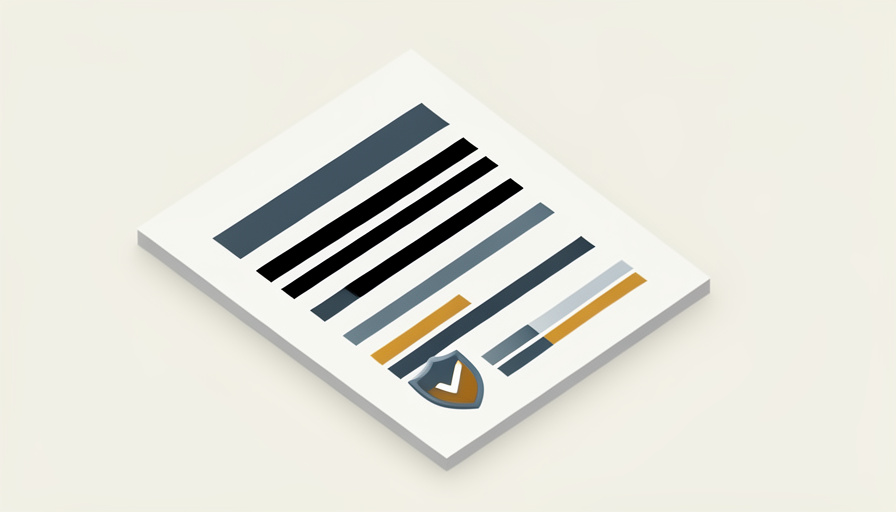
A black rectangle over a name looks final. Then someone opens the file, selects the page, copies it, and pastes your secret straight into a text box. The box was a costume, not a deletion.
The difference a PDF editor proper redaction tool makes is the gap between hidden text and gone text. Drawing a filled box, a highlight, or a black image on top of sensitive words only covers them on screen; the underlying text stays in the file, searchable and copyable. Real redaction removes that text and the hidden data around it. These are seven editors that redact properly, along with the one test that proves your redaction actually worked.
Quick Take
- A black box is annotation, not redaction, and the text under it can still be copied or searched.
- True redaction deletes the underlying text, and good tools also strip metadata and hidden layers.
- Whatever tool you use, verify by trying to select and copy the redacted area before you send the file.
Table of Contents
Redaction vs Drawing a Black Box
This is the whole point, so it is worth being clear. When you draw a black shape over text in a basic viewer, the visible page changes but the document underneath does not. Anyone can select the text behind the box, copy it, search for it, or simply delete the box to reveal it. True redaction is different: it removes the actual characters and can also clear the metadata, comments, and hidden layers where copies of that information hide. One covers, the other deletes.
How We Chose These
We included only editors that perform real redaction, meaning they remove the underlying text rather than paint over it, and we favored ones that can also clear metadata. We looked for a mix of price and platform so there is an option whether you are on a Mac, a Windows PC, or the web, and whether you can pay for a license or need something free. Each pick is paired with the same rule: verify the result yourself before trusting it.
1. Adobe Acrobat Pro
The reference standard. Acrobat Pro’s Redact tool lets you mark text or areas, shows a preview of exactly what will be removed, then permanently strips the content when you apply it, with a separate step to sanitize hidden data. The redaction is reliable and court-tested in practice. The catch is cost: it is a paid subscription, which is a lot if redaction is all you need.
2. Apple Preview
Since macOS Ventura, the free Preview app built into every Mac includes a genuine Redact tool that removes the content beneath rather than laying a black box over it. For Mac users it is the easiest possible option, with nothing to install. The limits are platform and depth: it is Mac-only, and it does not offer the detailed metadata sanitizing that a dedicated professional tool provides, so verify carefully on sensitive files.
3. Foxit PDF Editor
A full-featured Acrobat alternative on Windows and Mac, Foxit PDF Editor includes proper redaction that deletes marked text and can remove hidden information. It tends to cost less than Adobe and runs well on older machines. The trade-off is that redaction sits in the paid Pro tier, so the free reader alone will not do it.
4. Wondershare PDFelement
PDFelement is a lower-cost editor for Windows and Mac with a straightforward redaction feature that removes the selected content and can strip hidden data. Its redaction workflow is beginner-friendly, which suits people who redact occasionally. The main caveat is that the cheapest plan and frequent upsell prompts can be confusing, so make sure the version you buy includes redaction.

5. PDF-XChange Editor
A favorite among Windows power users, PDF-XChange Editor is fast, light, and inexpensive, and its editor includes a real redaction tool in the licensed version. It packs a huge number of features for the price. The downsides are that it is Windows-only and that the free build stamps a watermark on some actions, so you want the paid license for clean redaction.
6. Nitro PDF Pro
Nitro is a polished business editor for Windows and Mac with true redaction built into its document workflow, aimed at teams that handle contracts and forms. It is smooth and familiar if you are used to Office-style software. Like the others in this tier, redaction lives in the paid product, and it is priced for professional use rather than a one-off cleanup.
7. PDF24 Tools
For a free option beyond the Mac, PDF24’s redact tool blacks out and removes the marked content, and it offers both a web version and a free Windows program that works offline. It is genuinely useful for occasional redaction at no cost. Because free and online tools vary in how thoroughly they strip hidden data, this is one where the verification step below matters most.
Always Verify Your Redaction
No tool earns blind trust, so run a thirty-second check on every redacted file. Open the finished PDF, try to select the redacted area, copy it, and paste it into a plain text box; if the hidden words appear, the redaction only covered them. Then use the search function to look for a redacted name or number. If nothing selects and nothing is found, the text is truly gone. It is a small habit that separates a safe document from an embarrassing leak.
The Takeaways
- Covering text with a black box is not redaction, since the words underneath remain in the file.
- Adobe Acrobat Pro, Foxit, PDFelement, PDF-XChange, and Nitro all do true, paid redaction on desktop.
- Apple Preview on a Mac and PDF24 on the web or Windows are free options that remove the content.
- Always test by trying to select, copy, and search the redacted area before you share the file.
Frequently Asked Questions
Why can people still read my redacted PDF?
Because a black box or highlight only hides text visually while leaving it in the file. Anyone can select and copy the text behind the box, search for it, or delete the box to expose it. You need a tool that truly redacts, which removes the underlying characters rather than covering them.
Does drawing a black box redact a PDF?
No. A drawn box, a black image, or changing the text color to match the background all leave the original text intact underneath. That is annotation, not redaction. Only a real redaction feature deletes the content, so a copied or searched document reveals nothing where the box was.
What is the best free PDF redaction tool?
On a Mac, the built-in Preview app has genuine redaction at no cost. On Windows or the web, PDF24’s free redact tool removes marked content and can run offline. Both are solid for occasional use, though you should still verify the result, since free tools vary in how well they clear hidden data.
Does Apple Preview really redact, or just cover text?
Preview’s Redact tool, added in macOS Ventura, removes the content beneath rather than laying a box over it. It is a real redaction feature, which makes it the simplest choice for Mac users. For highly sensitive documents, still run the copy-and-search test and consider a professional tool for thorough metadata cleanup.
How do I check that my redaction actually worked?
Open the finished PDF and try to select and copy the redacted spot, then paste it into a text editor to see if any words appear. Also search the document for a redacted term. If nothing copies and nothing is found, the information is gone. Do this every time before sending a redacted file.
Cover the Text, Then Prove It’s Gone
Proper redaction is not about how black the box looks, it is about whether the words behind it still exist. Pick an editor that genuinely removes the text, from Acrobat Pro down to free Preview and PDF24, clear the metadata while you are at it, and then run the copy-and-search test to be sure. Do that and the sensitive details leave with the redaction instead of hiding in plain sight. For more on the tools that keep your documents in order, browse Wayodd’s Software section.