
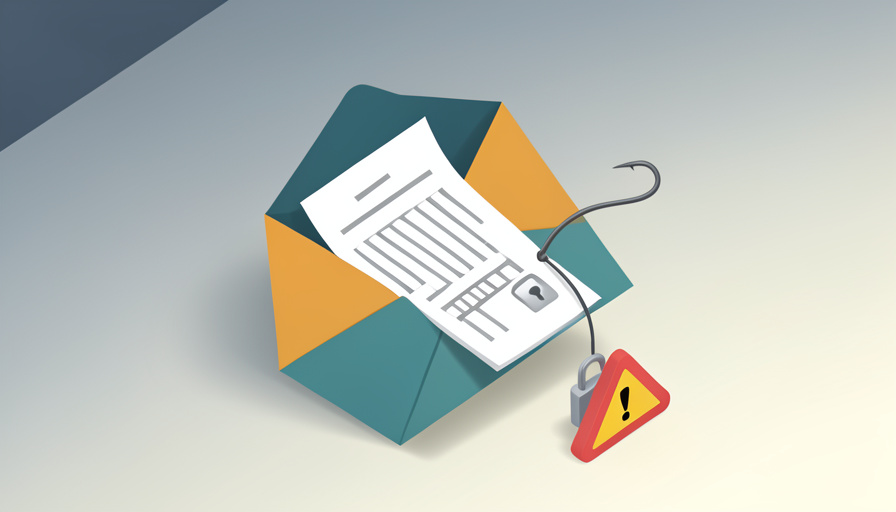
The email looks official: a company you have heard of, a friendly note about getting you set up as a vendor, and a W-9 attached to fill in and return so they can pay you. There is just one thing missing. There is no contract, no project, no reason you would be their vendor yet. They want your tax form before you have agreed to anything.
The vendor onboarding W-9 scam works by dressing identity theft as routine paperwork: an official-looking email asks for your tax form before any real agreement exists, counting on the form feeling too boring to question. A W-9 carries your name, address, and taxpayer ID, which is exactly what a fraudster wants. Not every W-9 request is a scam, so here is how to tell a normal one from a trap, and how to hand over the form safely when it is genuine.
Quick Take
- A legitimate W-9 is requested when you are actually being paid, not as a cold first step from a sender you have no relationship with.
- The danger is that a W-9 exposes your taxpayer ID, so scammers use fake onboarding emails to harvest it or to set up payment fraud.
- Verify the requester independently, use an EIN instead of your SSN where possible, and send the form through a secure method, never plain email.
This article is general information, not legal, tax, or security advice. Scam tactics change, and this cannot cover every case. If you have shared sensitive information or suspect fraud, contact your tax professional, and report it to the FTC and, for business email compromise, the FBI.
Table of Contents
When a W-9 Request Is Normal, and When It’s Not
Businesses do legitimately collect W-9s, and often during onboarding, because they need your taxpayer information to pay you and report it. The difference is context. A real request comes after you have engaged with the company, there is work or a purchase order in motion, and you can trace the sender to a relationship you actually have. A suspicious one arrives cold, from a party you never contacted, asking for the form before any agreement, or in a mass email that surges around tax season. The form is the same; the timing and the sender are what expose the scam.
The Red Flags
Weigh any W-9 request against these warning signs:
- No relationship yet. A W-9 asked for before any contract, project, or purchase order, from someone you did not approach, is the core red flag.
- Bundled with bank details. A request for your W-9 plus your bank account, routing number, or a voided check together points at payment fraud.
- Urgency. Pressure to return it same-day or to unlock a payment is designed to rush you past your caution.
- A lookalike sender. A display name that seems right but an email address, reply-to, or domain that is subtly off signals impersonation.
- A link to a portal. Being sent to an unfamiliar site to upload the form and your ID is a common harvesting setup.
- Generic greeting. A vague “Dear Vendor” with no specific reference to real work suggests a mass phishing blast.
What the Scammer Is Really After
Two payoffs drive these emails. The first is your identity: a completed W-9 hands over your taxpayer ID, which with your name and address is enough to attempt identity theft or open accounts in your name. The second is money, through business email compromise, where the fake onboarding is a lead-in to requesting your banking information or, in a company setting, to redirecting real payments to the fraudster’s account. Federal agencies have warned repeatedly about tax-form impersonation of exactly this kind. Either way, the harmless-looking form is the hook.
How to Verify the Request
Do not reply to the email to check whether it is real, since a scammer will simply confirm their own message. Instead, contact the company through a number or website you find independently, and ask whether the request is genuine. Look past the display name at the full sender address, check the reply-to for a mismatch, and be suspicious of a domain that is close to but not exactly the real one. If the message failed the ordinary email authentication checks, or the details do not line up, treat it as fraudulent until proven otherwise.
How to Send a W-9 Safely
When you have confirmed the request is legitimate, protect yourself in how you send it. If you are a sole proprietor, you can often use an Employer Identification Number, free from the IRS, on the W-9 instead of your Social Security number, which keeps your SSN off the form entirely. Send the completed W-9 through a secure channel, an encrypted portal or a password-protected file, rather than as a plain email attachment. And provide only the W-9 itself, never bundling in bank details or a photo of your ID because a form asked you to.
Frequently Asked Questions
Is it a scam if a company asks for a W-9 before we sign anything?
It can be, and the timing is the tell. Legitimate businesses usually request a W-9 once there is a real engagement and they are preparing to pay you, not as a cold first contact before any agreement exists. A W-9 demanded up front from a sender you never approached, especially with urgency or a request for bank details, deserves suspicion. Verify the requester through an independent channel before you fill anything in, since a genuine company will not mind the check.
Can I put an EIN on a W-9 instead of my Social Security number?
Often, yes. If you operate as a sole proprietor or single-member business, you can obtain an Employer Identification Number for free from the IRS and use it on the W-9 in place of your SSN, which keeps your Social Security number off documents you send to clients. This does not make a scam safe, so still verify the requester, but for legitimate work it meaningfully reduces the sensitive information you expose on every form.
What should I do if I already sent my W-9 to a scammer?
Act quickly to limit the damage. Because a W-9 exposes your taxpayer ID, consider placing a fraud alert or credit freeze, watch your accounts and tax filings for unusual activity, and be alert to a fraudulent tax return filed in your name. Report the incident to the FTC’s identity theft resources and, if it involved business email compromise, to the FBI. If you used an SSN, monitoring is especially important, since that number is hard to change and valuable to fraudsters.
How can I tell a real vendor email from a fake one?
Look at the mechanics, not the friendly wording. Expand the full email address rather than trusting the display name, check whether the reply-to differs from the sender, and inspect the domain for subtle misspellings or extra words. Match the request against reality: do you actually have a relationship or work in progress with this company? When in doubt, call them on a number you looked up yourself. Real requests survive that scrutiny; impersonations usually fall apart under it.
Verify First, Then Fill It In
A W-9 is normal paperwork, which is exactly why a scam wraps itself in it. The safe habit is simple: never send your tax form to a sender or a request you have not verified independently, no matter how official the email looks or how routine the ask sounds. Confirm the relationship, use an EIN instead of your SSN where you can, send the form only through a secure channel, and refuse to bundle in bank details or ID. Do that, and a fake onboarding email ends at your caution rather than your identity. For more on protecting your business, browse Wayodd’s Business & Markets section.