
You bought the little camera to keep an eye on the front room, the pet, the kids after school. What you did not sign up for was a monthly fee just to see yesterday’s clip, and a nagging feeling that a stranger’s server now holds hours of footage of your home. The camera works, but every convenient feature seems to lead to a paywall, and every privacy policy reads like it wants more than you meant to give. There is a better way to buy one.
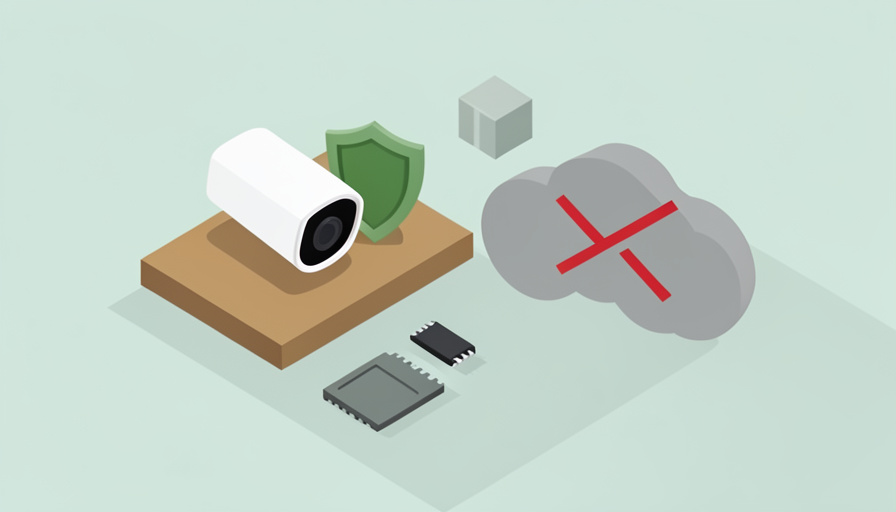
Choosing an indoor security camera no subscription privacy conscious buyers can actually trust comes down to one question: where does your footage go? If it lives on a card or a drive in your own home rather than a company’s cloud, you avoid both the monthly bill and the biggest privacy risk in one move. The catch is that not every “no subscription” camera is truly private, and not every private setup is free of trade-offs. Here is how to judge them.
Quick Take
- Look for local storage, a microSD card or a home network drive, so recording works with no monthly fee and the video never has to leave your house.
- Privacy and “no subscription” are related but not identical; a camera can be free to use yet still send data to the cloud, so check both.
- The most private setups store footage locally, let you disable cloud features, and ideally support standards like ONVIF or RTSP so you control where the video goes.
Table of Contents
What “No Subscription” Actually Means
The subscription on most cloud cameras pays for one thing above all: storing your video on the company’s servers so you can scroll back through it. Drop the plan and you often lose recorded history, and sometimes person detection, rich notifications, or clip downloads too. A no-subscription camera avoids this by recording somewhere you own, usually a microSD card in the camera or a drive on your network. That means the recording keeps working forever at no extra cost. Watch for cameras marketed as “free” that still lock key features behind a plan, since “no monthly fee for local recording” is what you actually want to confirm.
The Privacy Question: Where Does the Footage Go?
Skipping the subscription and protecting your privacy overlap, but they are not the same thing. A camera can record to a local card yet still stream thumbnails, metadata, or live video through a company’s cloud to reach your phone, which is a privacy exposure even without a paid plan. True privacy means the footage stays under your control: stored locally, encrypted, and not silently uploaded. So ask two separate questions of any camera. Does recording require a subscription? And does the video, or data about it, leave my home without my say-so? A privacy-first choice answers no to the second question as well, not the first alone.
What to Look For
These are the features that separate a genuinely private, subscription-free camera from one that just looks like one:
- Local storage. A microSD slot, or support for a network drive or dedicated recorder, so footage is saved at home with no cloud and no fee.
- Works offline. The ability to keep recording, and ideally to be blocked from the internet entirely, so a camera can run with no outside connection if you choose.
- On-device processing. Motion and person detection handled inside the camera rather than in the cloud, so alerts do not depend on uploading your video.
- Standards support. ONVIF or RTSP compatibility lets the camera feed local recording software you control, instead of locking you into one app and one cloud.
- Encryption and a real privacy policy. Encrypted storage and transmission, plus a clear statement of what, if anything, is sent to the maker.
- A physical privacy shutter. A cover or a firm software toggle that visibly turns the lens off when you are home is a genuine reassurance.
Storage Options Without a Monthly Fee
There are a few ways to keep recordings without paying, and they suit different comfort levels. The simplest is a microSD card in the camera, which many indoor models support for continuous or motion recording at no cost, though a card can fail or be stolen with the camera. A step up is a local network recorder, either a dedicated box or software running on a home computer or network drive, which stores footage from one or several cameras centrally and keeps it if a camera is taken. The most controlled option is a self-hosted system using open recording software with standards-compatible cameras, which keeps everything on hardware you own. More control generally means more setup.
Approaches That Fit
Rather than chasing a single “best” model, match the approach to how hands-on you want to be. For most people, a well-reviewed indoor camera with a microSD slot and a clear local-recording mode is the easy path, and several established brands offer these with no mandatory plan. If you want footage that survives a stolen camera, a local network video recorder paired with cameras that support it centralizes storage on your own hardware. For the privacy-focused and technical, cameras that speak ONVIF or RTSP feeding open-source recording software give you total control over where video lives and travels. Apple households can use HomeKit-compatible cameras for strong on-device privacy, though full cloud history there ties to an iCloud plan. Whatever you pick, verify the local-recording and privacy claims against current reviews before buying.
Trade-Offs to Accept
A private, subscription-free camera asks a little more of you in return for control. Remote viewing from outside your home is easy with cloud cameras but takes more setup when everything is local, often needing a secure remote-access method rather than a tap in an app. Local storage has limits: a card holds only so much, and truly offline cameras cannot send you a phone alert while you are away unless you add a path for that. You also take on the job of keeping firmware updated and storage healthy, basic steps the FTC’s guidance on securing connected devices also recommends. None of this is hard, but it is the price of not renting your own footage back from a company, and for many people it is well worth paying.
Frequently Asked Questions
Can a security camera really work with no subscription at all?
Yes. Any camera that records to local storage, a microSD card, a network drive, or a dedicated recorder, can capture and keep footage indefinitely without a monthly plan. The subscription on cloud cameras mainly pays to store video on the company’s servers, so recording locally removes that cost entirely. You may give up some cloud conveniences, like effortless remote access or long online history, but the core function of recording and reviewing footage works fully offline. Just confirm before buying that the specific model supports local recording without gating it behind a plan.
Does no subscription automatically mean the camera is private?
No, and this is the key trap. A camera can be free to use yet still route live video, thumbnails, or usage data through the maker’s cloud to reach your app, which is a privacy exposure regardless of cost. Privacy depends on where your footage and data actually go, not on whether you pay. To judge it, check whether recording stays on local storage, whether you can disable or block cloud connections, and what the privacy policy says the company collects. A truly private camera keeps the video under your control; a merely free one might not.
How do I watch a local camera when I’m away from home?
Because the footage is not sitting in a company’s cloud, remote viewing takes a bit more setup. The private way is to reach your home network securely from outside, commonly through a VPN back into your home, so you connect to the camera or recorder directly without exposing it to the open internet. Some local systems offer their own encrypted remote-access feature that does not store your video externally. Avoid simply forwarding a port to a camera on the public internet, since that can expose the feed. The trade-off for keeping footage private is doing this small amount of network setup once.
Is a microSD card enough, or do I need a recorder?
For a single indoor camera, a microSD card is often enough and is the cheapest route, giving you continuous or motion-triggered recording with no fee. Its weaknesses are capacity, cards hold a limited window of footage, and vulnerability, since a thief who takes the camera takes the card. If you have several cameras, want longer history, or want footage to survive a camera being removed, a local recorder or network drive that stores video centrally is worth the extra cost and setup. Many people start with a card and move to a recorder as their needs grow.
Keep the Footage in Your Own Home
An indoor camera should give you peace of mind, not a monthly bill and a quiet worry about who else can see inside your home. The way to get both privacy and no subscription is to keep the footage where you can point to it: on a card, a drive, or a recorder you own, with cloud features you can switch off. Judge any camera by where the video goes, not by the sticker price of the plan, and accept the small setup cost of local storage and secure remote access. Do that, and the camera works for you alone. For a related look at private smart-home gear, see our guide to smart lock features renters should look for, or browse Wayodd’s Gadgets & Tech section.