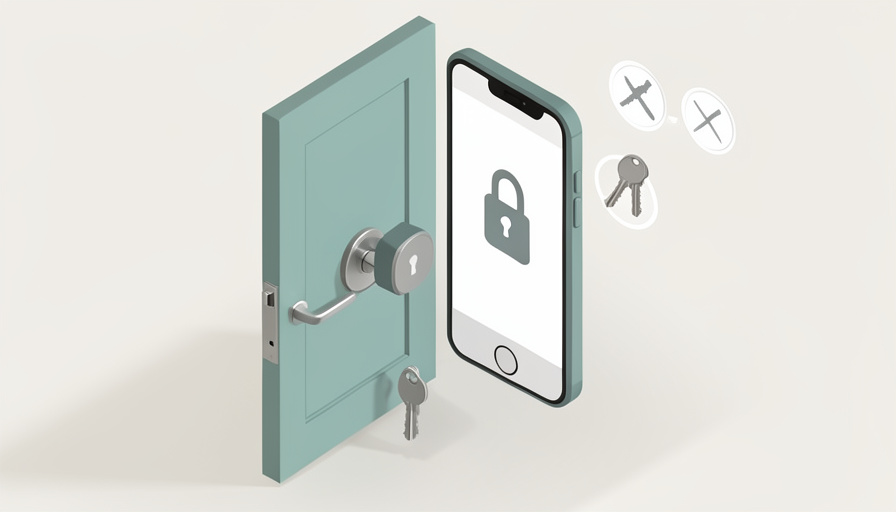

You want the convenience of unlocking your door from your phone, but you also want your security deposit back. Most “best smart lock” roundups assume you own the place and can swap the whole deadbolt or drill a new keypad into the door. As a renter, that is the fast track to a repair charge and an annoyed landlord. What you actually need is a lock that clips on, comes off clean, and never touches a drill.
The smart lock for renters features that matter are not the ones topping the general “best of” lists; they are the ones that keep your deposit and your lease intact while still giving you keyless entry. The whole category to focus on is retrofit locks, which mount over your existing deadbolt from the inside without drilling. Here are nine features to compare before you buy, so the lock fits your door, your rules, and your move-out day.
Quick Take
- Stick to retrofit locks that mount on the inside over your existing deadbolt, so there is no drilling and nothing permanent.
- Check that the lock fits your specific deadbolt and that your physical key still works for you and your landlord.
- Compare connectivity, guest access, and add-on keypads, since those decide how useful and how removable the lock really is.
Table of Contents
1. A True Retrofit, Interior-Only Design
The single most important feature is that the lock is a retrofit that mounts on the inside of your door over the existing deadbolt. Locks like the August Wi-Fi Smart Lock, SwitchBot Lock Pro, and Level Bolt attach to the thumb-turn side and turn it for you, leaving the outside of the door untouched. That means no drilling, no new holes, and full removal at move-out, which is exactly what keeps the install landlord-friendly. If a lock requires replacing the whole deadbolt or cutting into the door, it is built for owners, not renters.
2. Compatibility With Your Existing Deadbolt
A retrofit lock only works if it fits your hardware, so confirm compatibility before buying. Most fit a standard single-cylinder deadbolt with a turning thumb-turn on the inside, but oddly shaped thumb-turns, double-cylinder deadbolts, or unusual backsets can be a problem. Manufacturers publish compatibility guides and sometimes a measurement checklist, so measure your deadbolt and check the list rather than assuming. Getting this wrong means a lock that will not mount or will not turn smoothly, so this quick check saves a return and a headache.
3. A No-Drill Mount You Can Remove Cleanly
Look closely at how the lock attaches and, just as important, how it comes off. The best renter options mount using the deadbolt’s existing screws or a strong adhesive plate, both of which reverse without damage. Adhesive mounts are the most flexible for odd setups, but check that the adhesive removes cleanly and does not pull paint. The goal is a lock you can uninstall in minutes when you move, restoring the door to exactly how you found it. A clean, reversible mount is the difference between your deposit and a deduction.
4. Your Physical Key Still Works
Because a retrofit lock leaves the outside of the deadbolt alone, your existing keys keep working, and that matters more than it sounds. You keep a physical backup if the battery dies, and, critically, your landlord’s key still opens the door, which many leases require for emergency access. Confirm the lock is one of these interior-only designs rather than a full replacement that changes the keyway. Preserving key access keeps you compliant with your lease and gives you a fallback that never needs charging.
5. Connectivity: Built-In Wi-Fi, a Bridge, or Bluetooth
How the lock connects decides what you can do from away. Bluetooth-only locks work when your phone is nearby but cannot lock or unlock remotely on their own. Some models build Wi-Fi right in for remote control with no extra hardware, while others need a separate bridge or hub plugged in nearby to reach the internet. Newer locks, such as the Level Bolt, add Matter or Thread for broader smart-home compatibility. Decide whether you need to check and control the door from anywhere, and pick a connectivity option, and any required bridge, that matches, since it affects both cost and capability.
6. Auto-Lock and Auto-Unlock
Convenience features earn their keep on a busy day. Auto-lock secures the door a set time after it closes, so you never leave it unlocked by accident, and auto-unlock uses your phone’s location to open the door as you arrive with your hands full. Many locks pair these with a door sensor that knows whether the door is actually shut before locking. If forgetting to lock up is your worry, prioritize reliable auto-lock; if walking up with groceries is the pain, auto-unlock is the feature to look for.
7. Shareable Digital Keys and Temporary Codes
Sharing access is where smart locks shine for shared rentals. Look for the ability to grant digital keys or temporary codes to roommates, guests, a dog walker, or a cleaner, and to revoke them when they are no longer needed. Good apps let you set schedules, so a code works only on certain days or hours, and they log who came and went. For a rental with roommates or frequent visitors, flexible, revocable access beats handing out copies of a key you cannot easily take back.
8. A No-Drill Keypad or Fingerprint Add-On
If you want to enter with a code instead of your phone, check for an add-on that also avoids drilling. Several systems offer a separate keypad or fingerprint pad that mounts outside with adhesive, letting anyone enter with a PIN or a fingerprint while the smart mechanism stays inside. That keeps the whole setup renter-safe, since the exterior pad peels off at move-out. Confirm the keypad attaches without screws into the door, and that it pairs with the specific lock you choose, before counting on code entry.
9. Battery Life, Alerts, and Smart-Home Integration
Finally, weigh the practical upkeep and ecosystem. Retrofit locks run on batteries rather than wiring, so compare battery type and expected life, and make sure the lock warns you well before it dies rather than stranding you. Then check that it works with the voice assistant and smart-home platform you use, whether Alexa, Google, or Apple Home, since integration may need that bridge from feature five. A lock with long battery life, clear low-battery alerts, and the right integrations fits into your life instead of becoming another thing to babysit.
Frequently Asked Questions
Can I install a smart lock in my apartment without my landlord’s permission?
Usually, with a true retrofit lock, because it makes no permanent change to the door. Interior-only locks mount over your existing deadbolt, leave the outside and the keyway untouched, and remove completely at move-out, so many renters install them without issue. That said, your lease may have rules about altering fixtures or may require the landlord to keep working key access, which retrofit locks preserve. The safe move is to check your lease and, if in doubt, ask, since a lock that keeps the landlord’s key working is easy to justify.
Will a retrofit smart lock damage the door or affect my deposit?
It should not, if you choose one that mounts with the existing screws or removable adhesive and you uninstall it carefully. These locks are designed to leave no holes and to restore the door to its original state, which is the whole point for renters. The main caution is with adhesive mounts on painted surfaces, where slow, careful removal matters. Keep the original deadbolt parts you remove, reinstall them at move-out, and take before-and-after photos, and a retrofit lock should have no effect on your deposit.
Do I need Wi-Fi, or is a Bluetooth smart lock enough?
It depends on whether you want to control the door when you are not home. A Bluetooth-only lock lets you unlock from your phone when you are within range and is cheaper, which is fine if you mainly want keyless entry at the door. To lock, unlock, or check the door remotely, or to grant access to someone while you are away, you need Wi-Fi, either built into the lock or added through a bridge. Decide how you will actually use it, then choose the connectivity that supports that rather than paying for capability you will not use.
What is the easiest smart lock to remove when I move out?
Any interior-only retrofit lock is straightforward, but the easiest are those that reuse the deadbolt’s existing mounting screws, since removal is just reversing the original install. Adhesive-mounted models and add-on keypads come off too, though adhesive needs a careful peel to protect paint. Whichever you pick, save every original part you take off, so you can put the deadbolt back exactly as it was. Reinstalling the factory thumb-turn takes a few minutes and returns the door to move-in condition, which is what your landlord will check.
Keep It Reversible, Keep Your Deposit
For a rental, the right smart lock is defined less by flashy specs and more by what it does not do: no drilling, no permanent changes, and nothing that stops your key or the landlord’s key from working. Start with a true interior-only retrofit that fits your specific deadbolt, confirm the mount removes cleanly, then compare connectivity, guest access, add-on keypads, and battery life to match how you live. Keep the original parts and photos for move-out, and you get modern keyless entry without risking a cent of your deposit. For more renter-friendly upgrades, see our guide to heavy-duty Command strip alternatives for renters, or browse Wayodd’s DIY section.

































































No Comments
Leave a comment Cancel