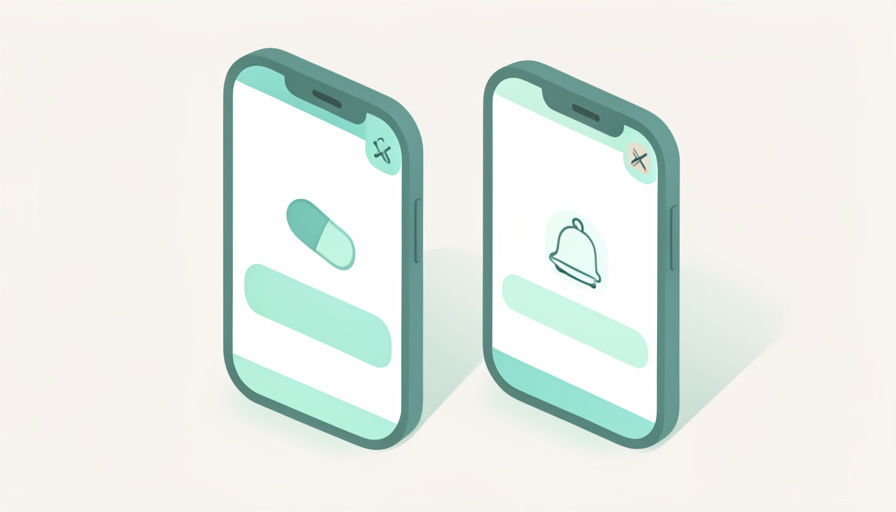

Two buzzes for one pill is not a glitch you can tap away. It usually means two apps are quietly watching the same medication and both want credit for reminding you.
If you have been searching Apple Health vs Medisafe duplicate reminders, you are probably getting two dose alerts for the same tablet, often right after you added a caregiver to the picture. At first this looks like a phone bug. It rarely is. This walks through why the double alerts happen, how the two apps actually differ, and the exact steps to pick one as your reminder and silence the other without losing your history or worrying a caregiver.
The Short Version
- Duplicate alerts almost always mean both Apple Health and Medisafe are set to remind you for the same medication.
- Apple Health Medications is free and built into the iPhone; Medisafe is a separate app that adds refill reminders and a caregiver miss-alert called Medfriend.
- Fix it by choosing one app for reminders, turning off dose reminders in the other, and lining up your caregiver setup with the one you keep.
Table of Contents
Why You’re Getting Double Alerts
The duplicate almost always starts the same way. You already had one app reminding you, then you added the second to solve a different problem, usually caregiver visibility. Now both hold a schedule for the same 8 a.m. pill, so both fire.
Adding a caregiver makes it worse because it is often the moment a second app enters the picture. Someone sets up Medisafe so a family member gets a miss alert, but the medication is still sitting in Apple Health with its own reminder switched on. Neither app knows the other exists. They do not sync, so silencing one does nothing to the other, and you keep hearing both until you turn a reminder off by hand.
Apple Health Medications at a Glance
Apple Health Medications is the tracker built into the iPhone’s Health app, free with iOS 16 and later. You add a medication, set a schedule, and the phone sends a dose reminder when it is time. If you skip logging it, a follow-up nudge arrives about 30 minutes later, and you can switch on critical alerts that sound even when the phone is muted or a Focus is on. Apple’s own guide covers adding and logging medications across iPhone, iPad, and Apple Watch.
For caregivers, Apple leans on Health Sharing. A trusted contact can view your medication list and whether you have logged doses, but that is viewing rather than an active alarm on their end. In the United States, the app also flags possible interactions between your medications and with alcohol, tobacco, or cannabis. The catch is the walled garden: it lives only on Apple devices, so an Android caregiver cannot open it.
Medisafe at a Glance
Medisafe is a separate download that works on both iPhone and Android, which is its main draw for mixed households. It handles scheduled reminders, tracks refills so you reorder before you run out, and includes an interaction checker. Its signature caregiver feature is Medfriend: you invite a trusted person who gets an alert when a dose is missed, which is a step beyond passive viewing.
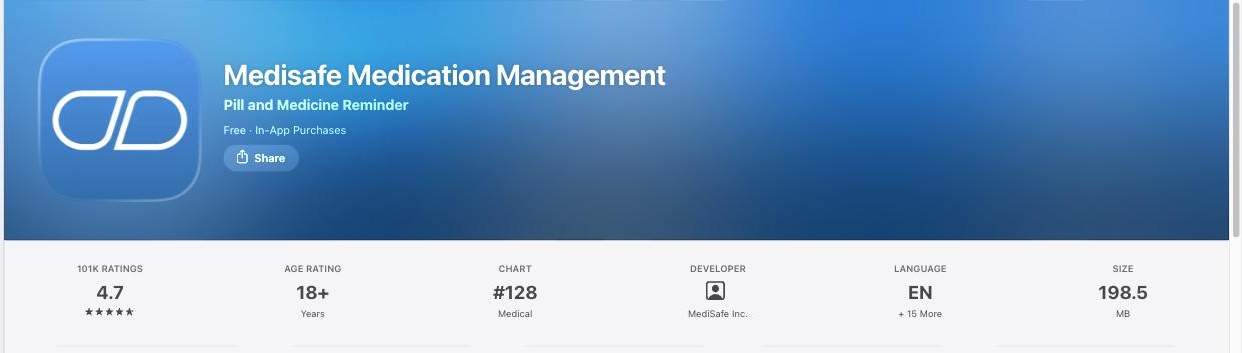
One thing changed this year that matters for the comparison. In January 2026 Medisafe dropped its unlimited free tier, and the free version now covers only two medications. Extra Medfriends, custom alarm sounds, and theme options moved behind Premium, which runs about $4.99 a month or $39.99 a year. If you take more than two medications and want the caregiver alerts, Medisafe is no longer a free option.
Side by Side
| Feature | Apple Health Medications | Medisafe |
|---|---|---|
| Cost | Free, built into iOS 16 and later | Free for 2 meds since Jan 2026; Premium ~$4.99/mo or $39.99/yr |
| Devices | iPhone, iPad, Apple Watch only | iPhone and Android |
| Dose reminders | Yes, plus follow-up and critical alerts | Yes, custom alarm sounds are paid |
| Refill reminders | No dedicated refill tracker | Yes |
| Interaction checks | Yes, US only | Yes |
| Caregiver alert on a miss | No; Health Sharing is view-only | Yes, via Medfriend |
| Where reminders come from | Apple’s Health system | The Medisafe app |
How to Stop the Duplicate Dose Alerts
The fix is not clever, it is just deliberate. Pick one app to be the alarm and demote the other. Work through these in order.
- Choose a single source of truth. If everyone in your circle is on Apple devices and you want zero cost, keep Apple Health. If a caregiver is on Android or you rely on a miss alert, keep Medisafe.
- Turn off dose reminders in the app you are not keeping. In Apple Health, open the medication and switch off its reminders; in Medisafe, disable notifications for that medication or delete it there.
- Line up the caregiver setup with the app you kept. Sharing through two systems is what created the overlap, so let one carry it: Health Sharing if you kept Apple Health, Medfriend if you kept Medisafe.
- Check notification permissions. Make sure the app you kept is allowed to send alerts, and confirm the one you silenced is genuinely off rather than just quieter.
- Test with one medication for a day before you trust the setup for your whole list. A single clean reminder confirms the duplicate is gone.
This article is general information, not medical advice. Medication schedules and reminder tools should fit your own health needs, so talk with your doctor or pharmacist about how you track doses, and confirm any caregiver arrangement with the people involved. App features and prices change, so check the current settings in each app before relying on them.
The Takeaways
- Two alerts for one pill means two apps are reminding you; they do not sync, so you silence one by hand.
- Apple Health is free and built in but Apple-only, with view-only caregiver sharing.
- Medisafe works across iPhone and Android and actively alerts a caregiver on a miss, though its free tier now stops at two medications.
- Keep one app for reminders, switch the other’s reminders off, and match your caregiver sharing to the one you kept.
Frequently Asked Questions
Why am I getting two reminders for the same medication?
Because two apps are both tracking that medication and both have a reminder set. Apple Health and Medisafe do not talk to each other, so each one fires on its own schedule. Turning off the dose reminder in one app is the only way to stop the second buzz.
Should I use Apple Health or Medisafe for reminders?
It depends on your devices and whether you need a caregiver miss alert. Apple Health is free and built into the iPhone, but it is Apple-only and its sharing is view-only. Medisafe works on Android too and can alert a caregiver when you miss a dose, though tracking more than two medications now needs its paid plan.
Does Apple Health tell a caregiver if I miss a dose?
Not with an active alert. Health Sharing lets a trusted contact view your medication list and whether you logged doses, but it does not ping them the moment you miss one. Medisafe’s Medfriend feature is the one that sends a caregiver a miss alert.
Is Medisafe still free in 2026?
It is free for up to two medications. In January 2026 Medisafe ended its unlimited free tier, so tracking more medications, adding extra Medfriends, or using custom alarm sounds now requires Premium, which is roughly $4.99 a month or $39.99 a year.
Will deleting one app erase my medication history?
Only the history stored in that app. Doses you logged in Apple Health stay in the Health app on your iPhone, and doses logged in Medisafe stay in Medisafe. If you plan to switch, keep the app you are leaving until you have set up and checked the one you are keeping.
One App Rings, the Other Records
Duplicate dose alerts are annoying, but they point to something simple: two tools doing one job. Decide which app is your alarm, turn the other’s reminders off, and route your caregiver through the one you kept. For more on health tools and everyday wellbeing, browse Wayodd’s Health section. One clear reminder you actually trust beats two you have learned to ignore.


































No Comments
Leave a comment Cancel