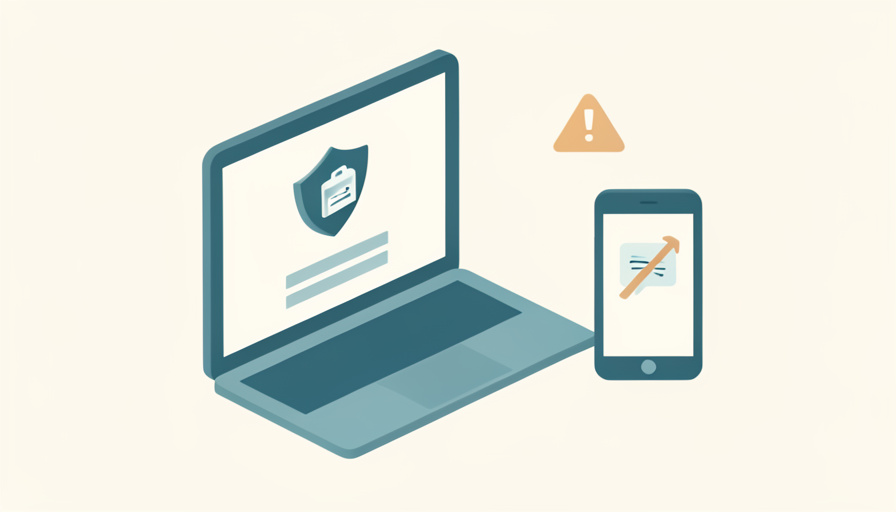

You need a test result or a prescription refill, you go to log in, and the portal asks for a code it just texted to a number you no longer have. Now the screen says it cannot verify who you are, and the very system meant to give you your health records is locking you out of them.
When a patient portal identity verification failed message appears right after you changed your phone number, the cause is almost always simple: the security code went to the old number, and the portal cannot confirm it is you. The fix is usually quick if you know the order to try things in. Here is how to get back in, from the fastest option to the in-person fallback, plus how to stop it happening again.
Quick Take
- First, choose the email verification option instead of text, since most portals can send the code to the email on file.
- If you are still locked out, call the portal or clinic support line; they can verify your identity another way and update your number.
- Once you are back in, update your phone number right away and add a backup verification method.
Table of Contents
Why a New Phone Number Locks You Out
Health systems have tightened identity checks, and most patient portals now use two-step verification tied to the phone number and email they have on file. When you sign in, the portal sends a one-time code to confirm it is really you. Change your number, and that code goes to a phone you no longer control, so the verification cannot complete and you see an “unable to verify identity” error. The portal is not broken; it is doing exactly what it should, just with outdated contact details. That is why the fix centers on reaching you a different way. Accessing your records online is your right, as the ONC’s guide to getting your health record explains, so a lockout is a hurdle, not a dead end.
The Fix Order, Fastest to Deepest
Work down these in order and stop at the one that gets you in:
- Send the code to your email instead of text. On the verification screen, look for an option to receive the code by email. If your email on file is unchanged, this is the fastest fix and skips the phone entirely.
- Check that your details match your records. A mismatch in your name, date of birth, or ZIP code can trigger the same error. Enter them exactly as your clinic has them, including a middle name or a maiden name if that is on file.
- Try the website rather than the app alone, and use account recovery. The full site often has more options than the mobile app. Use the “trouble signing in” or “forgot username” link, which may offer an alternate way to verify.
- Call the portal or clinic support line. If codes still will not reach you, call the patient support number for your portal or clinic. They can verify your identity with other details, such as your date of birth and address, then update your number or reactivate your account.
- Go in person with a photo ID. As a last resort, visit the front desk. Staff can confirm your identity against your ID, update your contact details, and issue a fresh activation code to re-enroll.
This article is general information, not medical, legal, or security advice. Patient portals and their verification steps vary by health system and vendor. Never share a verification code with anyone who contacts you first, and use only official portal websites and support numbers from your provider. For account-specific help, contact your clinic directly.
Once You Are Back In, Update Everything
The moment you regain access, go to the personal information or account settings page and update your phone number, then confirm your email is current too. If the portal offers more than one verification method, add a backup, such as an authenticator app or email, so a single lost number cannot lock you out again. Cleveland Clinic’s guide to login and activation issues is a useful example of how a health system walks patients through these fixes. If any recovery codes are offered, save them somewhere safe and offline.
The Takeaways
- The error usually means a security code went to your old number, not that anything is broken.
- Try the email code first, confirm your details match your records, and use the website’s recovery flow.
- If still locked out, call the clinic or portal support line, or go in person with a photo ID to re-verify.
- Once inside, update your phone number, confirm your email, and add a backup verification method.
Frequently Asked Questions
Why does my patient portal say it can’t verify my identity?
Most often because a two-step verification code was sent to a phone number or email you no longer use, so the portal cannot confirm it is you. A mismatch between the details you enter and what your clinic has on file, such as your date of birth or ZIP code, can cause the same message. The fix is to verify a different way or have the clinic update your details.
How do I get a verification code if I changed my phone number?
Look for an option to send the code to your email instead of text, which most portals offer. If your email on file is also outdated, you will need to contact the portal or clinic support line, verify your identity with other information, and have them update your contact details. After that, you can receive codes at your new number.
Can I update my phone number if I’m locked out of the portal?
Not from inside the account, since you cannot log in. You update it either by first getting back in through the email code or recovery flow, or by calling the clinic’s support line so staff can change it after verifying your identity. Going to the front desk with a photo ID also lets them update your number and reactivate your access.
Is it safe to give my details to the patient portal help line?
Yes, when you call the official support number listed on your provider’s website or your portal login page. Verifying your date of birth and address with your own clinic is a normal part of regaining access. Be cautious the other way around: never give details or codes to someone who calls or texts you first claiming to be from the portal, as that is a common scam.
How can I avoid getting locked out when I change numbers?
Update your phone number in the portal before you give up the old one, while you can still log in and receive a code. Add a second verification method, such as an authenticator app or a backup email, so losing one number does not lock you out. If recovery codes are offered, save them offline. A few minutes of setup prevents the whole problem.
Get Back In, Then Lock It Down
A failed identity check after a number change is annoying but rarely serious. Send the code to your email, make sure your details match, and use the recovery flow; if that fails, the clinic’s support line or front desk can verify you another way and update your number. Then close the loop by updating your contact details and adding a backup method, so the next time your phone changes, your health records do not disappear with it. For more everyday health and access tips, browse Wayodd’s Health section.



































No Comments
Leave a comment Cancel