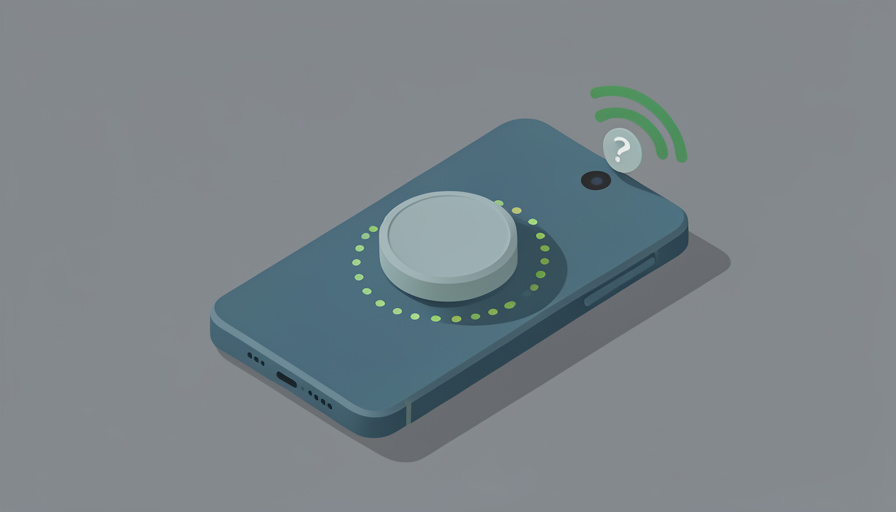

The magnetic power bank looked perfect: snap it on the back of your phone, no cable, top up on the go. Then it arrives, you press it to your Android phone, and it slides straight off. Or it clings weakly and charges so slowly the battery barely moves in an hour. MagSafe was designed for iPhones, with magnets and a charging profile built into the phone itself, and Android is a different world. That does not mean these banks are useless on Android, only that you have to check a few things first.
MagSafe power bank Android compatibility comes down to two questions before you buy: whether your phone can hold the bank magnetically, and how fast it will actually charge over that connection. Both have clear answers once you know what to look at, which saves you from a magnet that will not stick and a charge that crawls. Here are eight checks to run before you spend money on a magnetic bank for your Android phone.
Quick Take
- MagSafe’s magnets and 15W speed are iPhone features; on Android you need either a Qi2 phone with built-in magnets or a magnetic case or ring to hold the bank.
- Even when it attaches, an Android phone usually charges at standard Qi speeds unless both phone and bank support Qi2, so expect slower wireless charging than an iPhone gets.
- Always confirm your phone supports wireless charging at all, and treat the USB-C cable as the reliable fallback.
1. Does Your Phone Charge Wirelessly at All?
Start with the most basic check, because it is easy to overlook: not every Android phone supports wireless charging. Many budget and mid-range models charge only over the cable, and for those a magnetic wireless bank offers nothing wirelessly. Look up your exact model’s specifications and confirm it lists Qi or Qi2 wireless charging before anything else. If it does not, a MagSafe-style bank can still charge it through its USB-C port with a cable, but you are paying for magnets and a coil you will never use. This one check prevents the most disappointing purchase of all.
2. Magnets: Built In, or Do You Need a Case?
MagSafe holds by magnets in the iPhone. Most Android phones do not have those magnets built in, with the growing exception of phones that support Qi2’s magnetic profile. So check whether your phone has built-in charging magnets, and if it does not, plan to add them with a MagSafe-compatible magnetic case or a stick-on magnetic ring. Without one of those, the bank will not stick and, worse, will not align its coil with your phone’s, so it may not charge properly even if you hold it in place. Confirming the magnet situation is the single most important compatibility check.
3. The Wireless Speed You Will Actually Get
This is where expectations need adjusting. MagSafe delivers up to 15W to a compatible iPhone, but that full speed is an Apple arrangement. On most Android phones, a MagSafe bank falls back to standard Qi wireless charging, often around 7.5W, which is noticeably slower. The exception is Qi2: if both your phone and the bank support Qi2, you can get up to 15W wirelessly. So check the bank’s Android or Qi2 wireless output, rather than its headline MagSafe figure, and set your expectations to the slower number unless Qi2 is confirmed on both ends.
4. Magnet Strength and Coil Alignment
Attachment is about more than magnets; it is about how well they hold and align. A weak magnetic ring or a heavy bank can droop or shift, pulling the charging coils out of alignment so charging slows or stops. Look for a bank with a strong magnetic array and, if using a case or ring, one known to hold securely with the weight of a bank attached. Good alignment is what lets the coils transfer power efficiently; poor alignment wastes energy as heat and leaves your phone charging at a crawl or cutting out when you move.
5. Case Thickness and Material
Your case can make or break both the magnet and the charge. A thick case increases the gap between the bank and your phone’s coil, weakening the magnetic hold and reducing charging efficiency, and a case with metal elements can block wireless charging entirely. If you use a magnetic case to add the magnets, make sure it is designed for wireless charging and MagSafe-style accessories. The ideal is a slim, wireless-charging-friendly magnetic case. Before buying the bank, think about the case you actually use, since the wrong one quietly undermines everything else on this list.
6. The Wired Fallback and Its Wattage
Even a well-matched magnetic bank is usually slower wirelessly than a cable, so check the bank’s USB-C wired output too. A good bank lets you plug in for faster charging when you need speed, ideally with Power Delivery at a wattage that suits your phone. Treat the magnetic wireless attachment as the convenient, top-up option and the cable as the fast one. Confirming the bank has a capable USB-C port, and what wattage it delivers, means you are never stuck with only slow wireless charging when your battery is nearly empty and you are in a hurry.
7. Qi2 Certified Versus “MagSafe Compatible”
Marketing muddies this. “MagSafe compatible” often just means the bank has magnets arranged like MagSafe’s, not that it will charge your Android phone at 15W. The meaningful certification for Android is Qi2, an open standard that brings MagSafe-style magnets and up to 15W to phones that support it. So look for Qi2 certification on both the bank and your phone if fast magnetic wireless charging matters to you. A bank labeled only “MagSafe compatible” will physically attach with the right magnets but may charge your Android phone at slower Qi speeds, which is fine if that is what you expect.
8. Heat and Capacity for Your Phone
Finally, consider heat and size. Wireless charging generates more heat than a cable, and a poorly matched or misaligned bank runs warmer, which can slow charging further as the phone protects its battery. Look for a bank with decent heat management, especially if you charge while using the phone. Also match capacity to your needs: a higher-capacity bank is heavier, which strains the magnetic hold, while a slim one may not fully recharge a large phone. Balancing enough capacity against a weight your magnets can actually hold is the final piece of a sensible choice.
At a Glance: The Standards Compared
| Standard | Magnets | Typical Android speed | Notes |
|---|---|---|---|
| MagSafe | Yes (iPhone) | Falls back to Qi | Full 15W is iPhone-only |
| Qi2 | Yes (built in) | Up to 15W | Needs Qi2 phone and bank |
| Qi (standard) | No | About 7.5W | No magnetic hold on its own |
| Magnetic case or ring | Added | Depends on phone | Enables hold, not extra speed |
Standards and phone support evolve quickly, so verify your specific phone’s wireless charging and Qi2 support against current specifications before buying.
Frequently Asked Questions
Will a MagSafe power bank stick to my Android phone?
Only if there are magnets in the right place. Most Android phones lack built-in charging magnets, so a MagSafe bank will not stick on its own. The fix is either a phone that supports Qi2, which builds the magnets in, or a MagSafe-compatible magnetic case or a stick-on magnetic ring that adds them. With one of those, the bank attaches and, importantly, aligns its charging coil with your phone’s. Without magnets, the bank simply slides off, and even holding it in place risks poor coil alignment, so sort out the magnets before you rely on it.
Why does my Android phone charge slowly on a MagSafe bank?
Because the fast 15W MagSafe speed is specific to iPhones. On most Android phones, a MagSafe bank charges at standard Qi wireless speeds, commonly around 7.5W, which feels slow compared with a cable. The way to get faster wireless charging is Qi2: if both your phone and the bank are Qi2 certified, you can reach up to 15W. Otherwise, expect the slower speed, or use the bank’s USB-C cable for faster charging. Misalignment from missing magnets or a thick case can slow it further, so a secure, aligned attachment also helps.
Do I need a special case to use a MagSafe bank on Android?
Usually yes, unless your phone already supports Qi2 with built-in magnets. For the many Android phones without magnets, a MagSafe-compatible magnetic case or a stick-on magnetic ring provides the magnetic hold and, importantly, positions the bank so its coil lines up with the phone’s. The case should be designed for wireless charging and be reasonably slim, since a thick or metal-containing case weakens both the magnetic grip and the charging. So for most Android users, budgeting for a suitable magnetic case alongside the bank is part of making the whole setup actually work.
Is Qi2 the same as MagSafe?
They are closely related but not identical. Qi2 is an open industry standard that borrowed MagSafe’s best idea, magnetic alignment, and made it available across brands, offering magnetic attachment and up to 15W charging on phones that support it. MagSafe is Apple’s own implementation for iPhones. In practice, a Qi2 bank and a MagSafe bank use compatible magnets, so they attach to each other’s ecosystems, but you only get the full 15W speed when the phone and accessory share the standard. For Android, Qi2 is the label that matters for both magnetic hold and fast wireless charging.
Check First, Then Snap It On
A magnetic power bank can be genuinely handy on Android, but only if you buy with open eyes. The magnets that make MagSafe effortless on an iPhone are not automatically on your Android phone, and the headline 15W speed usually is not either. Run the checks: confirm wireless charging, sort out the magnets through Qi2 or a case, set your speed expectations to Qi unless Qi2 is confirmed on both ends, and keep the USB-C cable as your fast fallback. Do that, and the bank sticks and charges the way you hoped instead of sliding off in disappointment. For more device buying help, browse Wayodd’s Gadgets & Tech section.

































































No Comments
Leave a comment Cancel