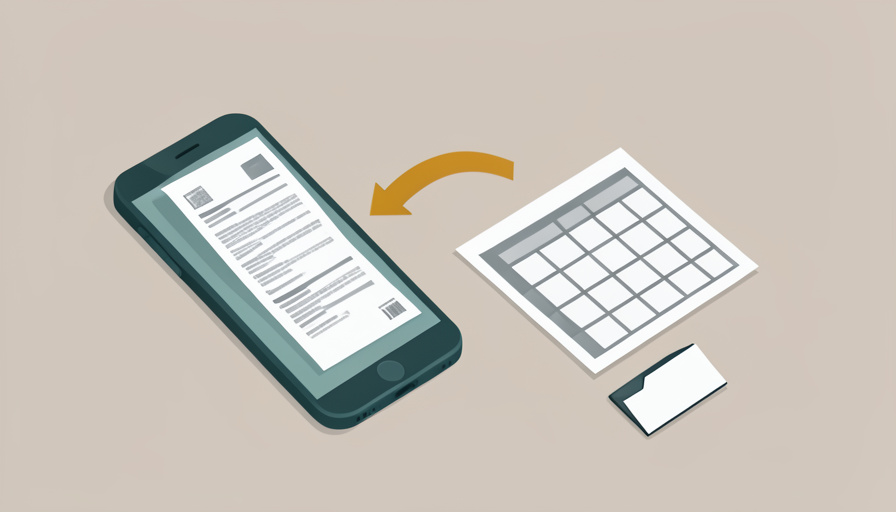

The receipts pile up faster than you can deal with them. Crumpled in the car, fading in a drawer, stuffed in a coat pocket, until tax season arrives and you are hunched over the kitchen table trying to read a thermal-printed total that vanished months ago. Or worse, your accountant is charging you by the hour to type each one into a spreadsheet by hand. There is a better way, and it takes about the time it takes to photograph the receipt before you throw it away.
The right receipt scanning app export CSV features turn a shoebox of paper into a tidy spreadsheet that your accountant, tax software, or company expense system can read in seconds. The scanning is the easy part now; what separates a genuinely useful app is clean data extraction and an export that hands you a comma-separated file with the fields you need. Here are eight apps that scan receipts and export to CSV, so the paperwork becomes a download instead of an evening lost to data entry.
Quick Take
- For company expenses and reimbursements, Expensify and Zoho Expense pair strong receipt scanning with flexible CSV and report exports.
- For a simple, low-cost tool built around exporting, Smart Receipts turns scans straight into CSV and PDF expense reports.
- Confirm the export includes the fields you need, date, vendor, amount, category, tax, before you rely on an app for tax season.
1. Expensify
Expensify is the best-known name for a reason: its SmartScan reads a photographed receipt and pulls out the vendor, date, and amount automatically, then lets you group expenses into reports and export them, including to CSV with customizable columns. It handles reimbursement workflows, approvals, and mileage, which suits both freelancers and teams. There is a free tier for individuals with a monthly scan allowance, and paid plans for heavier use. If you want a polished tool that covers scanning, categorizing, and exporting in one place, and especially if reimbursements are part of your life, Expensify is the natural starting point.
2. Zoho Expense
Zoho Expense offers much of Expensify’s capability at a friendlier price, with autoscan for receipts, expense reports, and exports to CSV, XLS, and PDF. It fits well if you already use other Zoho tools, but stands on its own too, with a usable free plan for individuals and small teams. Its category and tax fields carry through to the export cleanly, which matters when the whole point is tax-ready data. For small businesses and freelancers who want capable receipt scanning and reliable spreadsheet exports without a premium price, Zoho Expense is one of the strongest value options available.
3. Smart Receipts
Smart Receipts is the pick when exporting is the whole point rather than an afterthought. It is a mobile app built specifically to turn scanned receipts into CSV and PDF expense reports, with fully customizable columns so you control exactly what the spreadsheet contains. It is inexpensive, works without tying you into a heavy platform, and appeals to people who value keeping their data simple and portable. It lacks the reimbursement workflows of the bigger suites, but for an individual who just needs to photograph receipts and produce a clean, configurable CSV for taxes or a claim, it is efficient and refreshingly focused.
4. Shoeboxed
Shoeboxed leans into the shoebox problem literally: alongside app scanning, it lets you mail in physical receipts to be digitized for you, which is a lifeline for anyone with a genuine backlog of paper. It extracts the data, sorts expenses into tax-friendly categories, and exports to CSV and other formats. That human-assisted digitizing sets it apart when you are drowning in receipts you will never photograph one by one. For sole traders and small businesses who want the paper problem handled, including the option to offload the scanning entirely, Shoeboxed is a distinctive, practical choice.
5. Dext
Dext, formerly Receipt Bank, is a favorite among accountants and bookkeepers because of how accurately it captures receipts and invoices and how neatly it feeds that data onward. You snap or forward receipts, it extracts the details, and it exports or integrates the data for bookkeeping, including spreadsheet-friendly formats. It is more oriented toward those managing books regularly than toward a once-a-year tax scramble, and it sits at a professional price point. But if you work with an accountant or handle real volume, Dext’s precision and clean data handling make the export you hand over trustworthy rather than something to re-check line by line.
6. Wave
Wave is worth knowing because its core accounting tools are free, and it includes receipt scanning that turns photos into recorded expenses you can then export from its reports. For freelancers and very small businesses watching every cost, getting scanning plus basic bookkeeping at no subscription is a real advantage. The export comes through its accounting reports rather than a dedicated receipt CSV button, so it suits people who want their receipts living inside simple books they can export at tax time. If budget is the priority and you want scanning tied to free accounting, Wave earns its place.
7. QuickBooks Online
If you already keep your books in QuickBooks Online, its built-in receipt capture is the path of least resistance: photograph or forward a receipt, and it reads the details, matches it to a transaction, and categorizes it, with report and CSV exports available from within the platform. The value is in keeping receipts, categorization, and your accounts in one system, so the tax-time export reflects your actual bookkeeping. It is a subscription accounting product rather than a standalone scanner, so it makes most sense for those already committed to QuickBooks, where the receipt feature removes a whole separate app from the workflow.
8. Veryfi
Veryfi focuses on fast, accurate receipt and document data extraction with a strong emphasis on privacy, and it appeals to people who want clean structured data out the other side. It reads receipts in real time, organizes the details, and supports exporting that data, including to spreadsheet formats, as well as connecting to other systems for those who need it. It leans slightly more technical and business-oriented than the consumer apps, but the quality of its extraction is a selling point when accuracy matters. For anyone who cares about precise data and getting it out in a usable, exportable form, Veryfi is a capable modern option.
At a Glance: Scanning and CSV Export
| App | Free tier | CSV export | Best for |
|---|---|---|---|
| Expensify | Yes, limited scans | Yes, customizable | Reimbursements and reports |
| Zoho Expense | Yes | Yes (CSV, XLS) | Value and tax-ready fields |
| Smart Receipts | Trial, low cost | Yes, configurable | Simple, export-first |
| Shoeboxed | Paid, mail-in option | Yes | Clearing a paper backlog |
| Dext | Paid | Yes / integrations | Working with an accountant |
| Wave | Free core | Via reports | Free scanning plus books |
| QuickBooks Online | Paid | Yes | Existing QuickBooks users |
| Veryfi | Trial | Yes / API | Accurate structured data |
Features, free tiers, and export formats change, so confirm current CSV capabilities and pricing before committing your records to one app.
Check the Export Before You Rely on It
The scanning gets the attention, but the export is where these apps earn their keep, so test it early. Before tax season or a big claim, scan a few real receipts and run an actual CSV export, then open it in a spreadsheet and confirm it contains the fields you need: date, vendor, amount, category, and tax or currency where relevant. Check that the columns line up and the amounts are read correctly, since OCR occasionally misreads a faded total. Doing this with a handful of receipts now tells you whether the app fits your accountant’s or employer’s format, and it beats discovering a missing column when you have hundreds of entries to fix.
Frequently Asked Questions
Which receipt app is best for exporting to CSV for taxes?
It depends on your situation. For most freelancers and small businesses, Zoho Expense and Expensify offer strong scanning with clean, customizable CSV exports that carry category and tax fields through, which is what tax preparation needs. If exporting is your only goal and you want something simple and cheap, Smart Receipts is purpose-built for turning scans into configurable CSV reports. If you work with an accountant, Dext’s accuracy makes the handoff smoother. The best choice is the one whose export matches the format your accountant or tax software expects, so check that fit with a test export before you decide.
Do these apps read the receipt automatically or do I type it in?
Nearly all of them use optical character recognition to read a photographed receipt and extract the vendor, date, and total automatically, so you are reviewing and correcting rather than typing from scratch. Accuracy is high for clear receipts and drops for faded, crumpled, or unusual ones, which is why a quick review before exporting is wise. Some apps, like Shoeboxed, even let you mail in paper to be digitized for you. The goal across all of them is to remove manual data entry, turning a photo into structured data you can categorize and then export as a spreadsheet.
Can I use a free app to scan receipts and export a spreadsheet?
Yes, though free tiers have limits. Wave offers free accounting with receipt scanning and lets you export from its reports, and both Expensify and Zoho Expense have free plans with monthly scan allowances that suit light users. Smart Receipts is inexpensive rather than free but is built around exporting. For occasional needs, a free tier is often enough; for high volume or advanced reimbursement workflows, a paid plan pays for itself in saved time. Start on a free option, confirm the CSV export gives you what you need, and upgrade only if your volume or features genuinely require it.
Will the CSV export work with my accountant’s software?
Usually, because CSV is a universal format that spreadsheets and most accounting tools can import, but the details matter. Your accountant may want specific columns or a particular order, so the apps that let you customize the export, such as Expensify, Zoho Expense, and Smart Receipts, are the safest bets for matching a required format. The practical step is to send your accountant one sample export early and ask if it works for them, then adjust the columns if needed. Sorting this out once, before you have a year of receipts loaded, saves reformatting later and keeps the handoff painless.
Scan Once, Export Clean
Receipts only become a burden when they stay as paper. Any of these apps turns the photograph you take before binning the receipt into structured data, and the ones worth choosing hand that data back as a clean CSV your spreadsheet, tax software, or accountant can use. Match the app to your need: Expensify or Zoho Expense for reports and reimbursements, Smart Receipts for simple exporting, Shoeboxed for a paper backlog, and Wave if free matters most. Then do the one thing people skip, run a test export and check the columns, so tax season becomes a download. For a related tool roundup, browse Wayodd’s Business & Finance section.

























































No Comments
Leave a comment Cancel