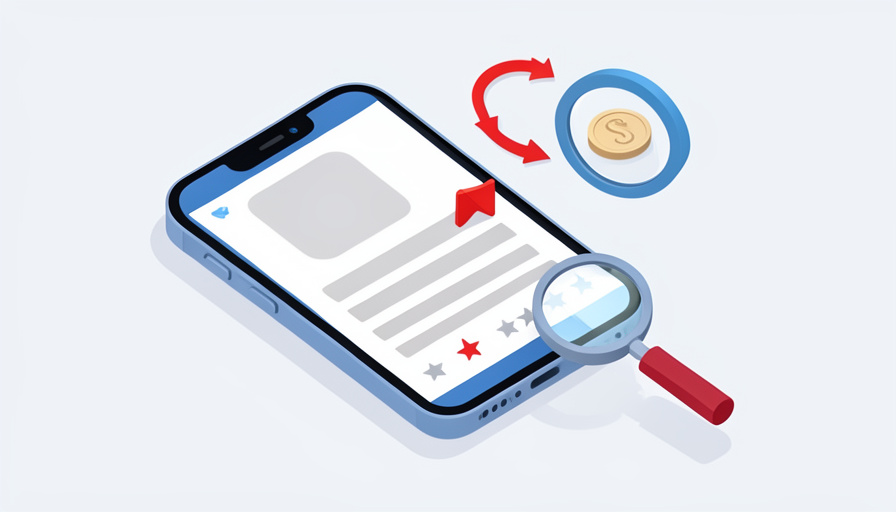

You download a simple QR scanner, the kind of thing your phone already does for free. It opens with a cheerful welcome screen, a three-day free trial, and a subscribe button, and a week later your bank flags a $9.99 charge you do not remember agreeing to. Multiply that by fifty-two weeks and you have paid over five hundred dollars for a feature built into your camera. That is fleeceware, and the listing told you everything before you tapped install.
That is why the scam subscription app red flags worth knowing are almost all visible on the store listing itself, before you ever install the app or hand over a payment method. Fleeceware apps rely on a short trial, a buried price, and a wall of fake praise to catch you off guard. Here are thirteen warning signs to screen for on any listing, so a pricey auto-renewing trap never reaches your card.
Quick Take
- The core trap is a very short free trial that flips into an expensive weekly or annual auto-renewal you barely noticed agreeing to.
- Read the one-star reviews first, since they are where real users warn about surprise charges and impossible cancellations.
- Be suspicious of any subscription on a basic utility, a flood of generic five-star reviews, and a developer with no real website.
Table of Contents
Why Listings Hide Subscription Traps
Fleeceware is not malware; it does not steal your data or break your phone. As security researchers at Avast describe fleeceware, it charges an outrageous recurring fee for something that is free or nearly free elsewhere, and it makes its money on people who forget to cancel a trial. Because the app technically works, it survives on the store, and the whole scheme depends on the listing looking legitimate long enough to get the trial started. Learn to read the listing critically and you defuse the trap at the only point where it is easy: before installing.
1. A Very Short Free Trial
The shorter the trial, the more the app is banking on you forgetting it. A three-day, or even one-day, free trial that requires your payment details up front is the classic fleeceware setup, engineered so the auto-renewal hits before you have decided whether the app is worth anything. A genuinely useful app rarely needs to rush you. When the very first screen pushes a countdown and a card, treat the trial as bait rather than a trial.
2. Weekly Pricing That Hides the Real Cost
Watch how the price is framed. “Only $9.99 a week” sounds minor until you multiply it out to more than five hundred dollars a year, which is exactly why fleeceware favors weekly billing. Legitimate apps usually lead with a monthly or annual figure you can judge at a glance. A weekly price, or a price shown in a tiny font beneath a giant “Start Free Trial” button, is designed to keep you from doing that arithmetic, so do it yourself before subscribing.
3. A Subscription on a Basic Utility
Ask whether the app does anything your phone cannot already do free. Flashlights, QR scanners, unit converters, wallpaper packs, and storage “cleaners” are all functions built into modern phones or available free, so a subscription to unlock them is a strong fleeceware signal. Paying monthly for a scanner is like renting a calculator. When a trivial tool demands a recurring fee, the price is the product, and the utility is just the hook.
4. One-Star Reviews Full of Billing Complaints
The lowest reviews are the most honest, so read them first. Fleeceware listings are typically dotted with one-star reviews describing surprise charges, trials that billed instantly, and cancellations that would not go through. If the complaints cluster around money rather than bugs or features, that pattern is the scam described in the users’ own words. Sort to the critical reviews before you trust the average rating, because the average is often propped up by fakes.
5. A Flood of Generic Five-Star Reviews
An unnaturally perfect rating is a warning, not a reassurance. Fleeceware apps buy or generate five-star reviews with short, generic praise, “Great app!” or “Love it!,” posted in a tight cluster of dates. Independent analysis has suggested a large share of app-store reviews are fake, so a wall of vague, interchangeable five-stars with no specifics deserves suspicion. Look for detailed, specific reviews that mention real features, and be wary when every glowing review sounds like it was written by the same person.
6. Reviews That Don’t Match the App
Sometimes the fakes give themselves away. If a photo-editing app has reviews praising its “fast delivery” or a wallpaper app has comments about “great customer service on my order,” the reviews were copied from somewhere else or bought in bulk. Mismatched, off-topic praise is a sign the rating was manufactured rather than earned. When the reviews describe an app that is not the one you are looking at, the whole listing is built on sand.
7. A New or Clone-Heavy Developer
Check who made it. Tap the developer name and see their other apps: a brand-new account with a single app, or a developer publishing a dozen near-identical clones with different icons, is a common fleeceware footprint. Established, trustworthy developers usually have a history, a consistent brand, and apps that make sense together. A faceless publisher churning out lookalike utilities is running a volume game, and yours would be the next wallet in line.
8. No Real Website or Privacy Policy
Legitimate apps have somewhere to land. A missing or broken developer website, a privacy policy that links to a blank page or a generic template, and a support address that bounces are all signs no real company stands behind the app. Before installing, tap through the listing’s developer and privacy links. If they lead nowhere, or to a page that clearly was never meant to be read, there is no one to hold accountable when the charges start.
9. Screenshots With Fake Badges or Missing Features
Study the screenshots skeptically. Fleeceware listings often show polished images featuring “award” badges or “Editor’s Choice” labels that the store never gave, or features that the installed app does not actually include. Stock or clearly AI-generated imagery, and screenshots that look more like ads than the real interface, are red flags. The screenshots are marketing, so compare what they promise against what the reviews say the app really does before believing either.
10. A Name or Icon Mimicking a Popular App
Impersonation is a favorite trick. A subtly misspelled name, or an icon and color scheme copied from a well-known app, is meant to borrow trust the app has not earned and catch you searching for the real thing. Confirm you have the genuine developer, not a lookalike riding on a famous name. If two nearly identical listings appear for what should be one app, the copy is usually the one with the aggressive subscription and the thin developer history.
11. A Hard Paywall the Moment It Opens
Notice when the app first asks for money. Fleeceware frequently blocks every function behind a subscription prompt that appears the instant you open it, before you can try a single feature. A fair app lets you see what it does first. When the very first interaction is a full-screen paywall with no way to dismiss it and explore, the app is confident that curiosity, not value, will get your card, which is exactly the fleeceware bet.
12. Countdown Timers and Pressure Onboarding
Urgency in onboarding is a manipulation, not a courtesy. Countdown clocks, “limited-time” discounts on the subscription, and screens that make the “no thanks” option tiny or hidden are dark patterns meant to rush you past your judgment. A trustworthy app does not need a ticking timer to justify its price. When the sign-up flow feels engineered to panic you into subscribing before you think, that pressure is itself one of the clearest scam signals.
13. Buried Terms and Ad-Driven Installs
Finally, look at how the price and the promotion behave. Subscription terms tucked into fine print, a real cost revealed only after install, and apps you found through an aggressive YouTube or social-media ad rather than an organic search all fit the fleeceware profile. Reputable apps state their pricing plainly and can withstand a direct look. When the terms hide and the marketing shouts, the mismatch is telling you the money, not the app, is the point. The same buried-cost tactic appears in our look at meal-kit subscription traps.
How to Check Before You Install
Turn the flags into a quick routine. Before installing, read the critical reviews, tap the developer to see their other apps and website, and find the actual subscription price and trial length in the listing rather than in the app. Search the app’s name with the word “scam” or “fleeceware” to surface warnings, a habit that also helps with app categories like free VPN apps with warning signs. And know your escape route: you can review and cancel subscriptions any time in your phone’s settings, and Apple’s guide to canceling a subscription or the Play Store’s subscriptions page walks you through it.
Frequently Asked Questions
What exactly is a fleeceware app?
Fleeceware is an app that charges an unreasonably high recurring subscription for a service that is free or cheap elsewhere, often after a short free trial designed to auto-renew before you cancel. Unlike malware, it does not steal data or damage your device, which is why it stays on the app stores. It makes money from people who forget to cancel a trial or do not notice the charge. The apps usually work as described; the scam is the price and the pressure to subscribe, not a hidden virus.
Are five-star ratings a reliable sign an app is safe?
No, and a suspiciously perfect rating can be a warning. Fleeceware and low-quality apps frequently pad their ratings with bought or generated five-star reviews, and independent analysis has suggested a large portion of app-store reviews are fake. A trustworthy rating comes with detailed reviews mentioning specific features, a realistic mix of scores, and complaints that are about bugs rather than billing. Always sort to the one-star reviews and read them, since that is where the surprise-charge and cancellation problems surface first.
How do I cancel a subscription I signed up for by mistake?
Cancel it in your phone’s settings, not the app. On an iPhone, open Settings, tap your name, then Subscriptions, and cancel there; on Android, open the Play Store, tap your profile, then Payments and subscriptions. Canceling stops future renewals, though you may keep access until the current period ends. Deleting the app alone does not stop the billing, which is a common and costly mistake. If you were charged after canceling or during a trial, you can also request a refund through the store.
Can I trust an app just because it is on the official App Store or Google Play?
Not entirely. Both stores review apps and remove clear malware, but fleeceware often slips through because the apps function and disclose their pricing somewhere in the fine print. Being on the official store means the app is unlikely to be outright malicious, not that its subscription is fair. So the store is the safer place to download, but you still need to screen the listing yourself for the red flags above. Official distribution reduces malware risk; it does not guarantee an honest price.
Screen the Listing Before You Install
Fleeceware only works if you skip the ten seconds of scrutiny that would expose it. A short trial demanding your card, weekly pricing that hides a huge annual total, a subscription on a tool your phone already has, one-star reviews full of billing complaints under a wall of generic five-stars, and a developer with no real website together paint the picture before you ever install. Read the critical reviews, check the developer, find the true price, and keep your settings-based cancellation route in mind. The listing tells you what the app will do to your wallet, so read it. For more on staying safe on your phone, browse Wayodd’s Mobile section.























































No Comments
Leave a comment Cancel