
The 12 phone and carrier settings a SIM-swap attacker counts on you leaving alone, and the exact fix for each one.
A SIM swap does not hack your phone. An attacker talks your carrier into moving your number to a SIM they control, then uses the text codes that follow to reset your email, bank, and crypto. The FBI logged 982 SIM-swap complaints and nearly $26 million in reported losses in 2024, according to its IC3 annual report, and the unsettling part is that your phone does almost nothing to stop it by default. A handful of settings do, and most people never touch them.
This is a cross-carrier checklist, not a single help doc. Work down the list once, harden each item, and you close the doors these attacks walk through.
The Short Version
- The most important fix is a carrier port-out lock plus a strong account PIN, and it is switched off by default on most accounts.
- The second is moving your important logins off SMS codes to an authenticator app, passkeys, or a hardware key, since text codes follow your number to the attacker.
- Everything else is closing side doors: recovery options, security questions, voicemail PINs, and alerts that warn you the instant a swap starts.
At a Glance
| Weak spot | The fix |
|---|---|
| No carrier port-out lock | Turn on number lock and set a strong account PIN |
| SMS as main 2FA | Switch to an authenticator app or passkey |
| Number as account recovery | Remove it, use backup codes instead |
| Number handed out everywhere | Use a secondary VoIP number for signups |
| Weak carrier password | Make it unique and strong |
| Real security-question answers | Use random, stored answers |
| SIM-change alerts off | Enable carrier SIM and port notifications |
| Default voicemail PIN | Set a non-default PIN |
| No SIM card PIN | Enable a SIM PIN in phone settings |
| eSIM on a weak account | Lock your Apple ID or Google account |
| One number unlocks everything | Separate banking from your everyday number |
| Ignoring lost signal | Treat sudden No Service as an attack |
Table of Contents
1. No port-out lock on your carrier account

The fix: turn on your carrier’s free number-transfer lock and set a strong account PIN.
This is the single most effective step, and it is off by default. T-Mobile calls it SIM Protection, Verizon offers a SIM and Number Lock from your account, and AT&T uses a Wireless Account Lock plus a Number Transfer PIN. With it on, nobody can move your number without first unlocking it, which stops most swaps cold.
2. SMS text messages as your main 2FA

The fix: move your email, banking, and crypto logins to an authenticator app, passkeys, or a hardware security key.
SMS codes go to whoever holds the number, so the moment your line is swapped, every text-based code lands with the attacker. App-based codes and passkeys stay on your device instead. Our comparison of passkeys versus authenticator apps for banking can help you pick.
3. Your phone number set as an account recovery method
The fix: remove your number as a reset or recovery option wherever a service lets you, and rely on backup codes or an authenticator.
Even with strong 2FA, a “recover my account by text” option hands an attacker a back door once they hold your number. Swap the recovery method to email you control or printed backup codes, and the stolen number stops being a master key.
4. A phone number you hand out everywhere
The fix: keep your real number off public profiles and low-trust signups, and use a secondary VoIP number for those.
Attackers target numbers they can tie to a person and their accounts, so a number scattered across forums, receipts, and giveaways is a bigger target. A free Google Voice or similar number for casual signups keeps your real line quieter.
5. A weak or reused carrier login password
The fix: give your carrier account its own unique, strong password.
Your carrier login controls your SIM, which makes it a prime target, yet people often protect it with a reused password from a years-old breach. A unique password in a manager, paired with app-based 2FA on the carrier account itself, closes that path.
6. Real answers to security questions
The fix: answer security questions with random, stored values instead of the truth.
Your mother’s maiden name, your first car, and your high school are all findable on social media, and a support agent may accept them to verify a “customer.” Treat security answers like passwords, generate nonsense, and save them in your password manager.
7. SIM-change alerts turned off
The fix: enable carrier notifications for SIM and port requests so you hear about a swap immediately.
Speed decides how much damage a swap does, and an instant alert is your early warning. Federal rules now require carriers to notify you of SIM change requests, so make sure your contact details are current and the alerts actually reach you.
8. A default or missing voicemail PIN
The fix: set a non-default voicemail PIN.
Some account-recovery flows read a code aloud in a voice call, and if that call goes to a voicemail box with a weak or default PIN, an attacker can retrieve it. A unique voicemail PIN closes a small but real gap that people almost always overlook.
9. No SIM card PIN

The fix: turn on a SIM PIN in your phone settings.
A SIM PIN locks the physical SIM so a thief cannot pop it into another phone and receive your calls and texts. It does nothing against a remote carrier port, so it is not a full defense, but it closes the physical-theft door for a two-minute setup.
10. An eSIM tied to a weakly protected account
The fix: lock your Apple ID or Google account with an authenticator app or passkey.
eSIM transfer runs through your Apple or Google account, so a compromised account can move your eSIM to a new device without ever touching your carrier. Strong 2FA on those accounts matters as much as the carrier PIN now that eSIM is the default on new phones.
11. One number unlocking everything
The fix: separate your banking and crypto number from your everyday number.
If the same number sits on your bank, your email, and your social accounts, one swap opens all of them at once. A dedicated number for high-value logins, shared with no one, means a swap of your public number does far less harm.
12. Ignoring a sudden loss of signal

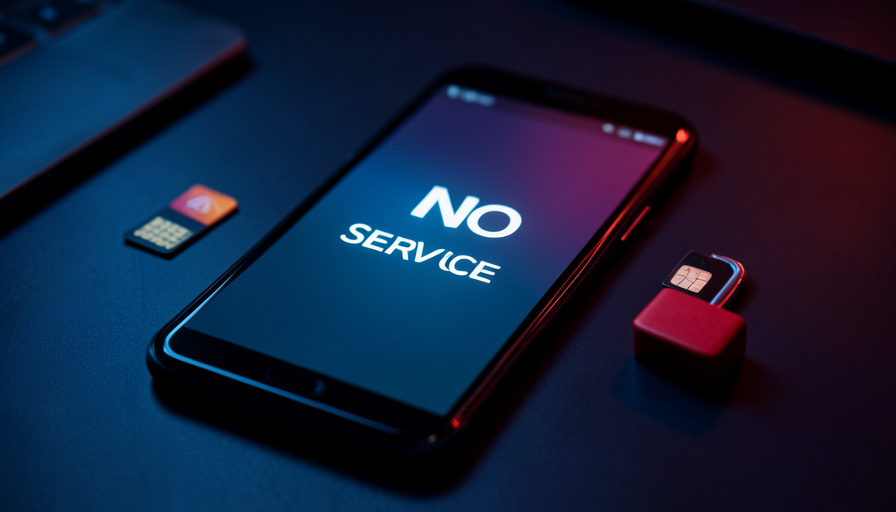
The fix: treat an unexpected “SIM updated” message or a phone that drops to No Service for no reason as an active attack.
A swap shows up as your phone abruptly losing service while you are sitting still with a paid bill. If that happens, do not wait it out. Call your carrier right away from another phone, lock the account, and change passwords on your key logins from a device that is not affected.
How We Chose These
We focused on the settings a real attacker exploits and a real person can change today, weighted toward the ones that are off by default and cover every carrier. We prioritized the port-out lock and moving off SMS because they stop the majority of swaps, then filled in the side doors that turn a contained incident into a full account takeover. Advice that only works on one carrier, or that assumes deep technical skill, ranked lower than a fix you can finish in a few minutes from your phone.
The Bottom Line
If you do only two things, lock your number against transfers at your carrier and move your important logins off SMS codes. Those two settings stop the version of this attack that empties bank and crypto accounts. Then spend twenty minutes on the rest: recovery options, security answers, alerts, and a SIM PIN. For the accounts you protect this way, review our guides on why two-factor codes fail to arrive and 2FA texts breaking after an eSIM switch, since both come up while you are hardening things.
Frequently Asked Questions
What is the best way to prevent a SIM swap?
The best single step is enabling your carrier’s port-out or number-transfer lock and setting a strong account PIN, because it stops your number from being moved at all. Pair that with moving your email, bank, and crypto logins off SMS codes to an authenticator app or passkey. Those two changes block the version of the attack that causes the most damage.
Does a SIM PIN stop SIM swapping?
Not on its own. A SIM PIN locks the physical SIM card against being used in another phone, which helps with physical theft, but a SIM swap is a remote carrier transfer that a SIM PIN does not touch. You still need the carrier port-out lock and app-based 2FA to stop a swap.
How do I know if I am being SIM swapped?
The clearest sign is your phone suddenly showing No Service or losing calls and texts while you are stationary with an active plan, often alongside a “SIM updated” message. You may also get login or password-reset alerts you did not request. If that happens, call your carrier immediately from another phone and lock your accounts.
Is SMS two-factor authentication safe from SIM swaps?
No. SMS codes are delivered to whatever SIM holds your number, so once your line is swapped, those codes go to the attacker. SMS 2FA is better than no second factor, but for high-value accounts you should use an authenticator app, a passkey, or a hardware security key instead.
Do carriers have to warn me about a SIM change?
Yes. Federal rules now require wireless carriers to use secure authentication before changing a SIM or porting a number, and to notify you immediately of SIM change requests and failed attempts. Keep your contact details current so those alerts reach you, and act on any you did not initiate.
Final Word
SIM swapping works because your number quietly became the key to your whole digital life, and the defenses ship turned off. Lock the number at the carrier, take your critical logins off SMS, and close the side doors on this list, and you turn a five-minute attack into one that almost never succeeds. For more phone security and setup guidance, browse Wayodd’s Mobile section.

































































No Comments
Leave a comment Cancel