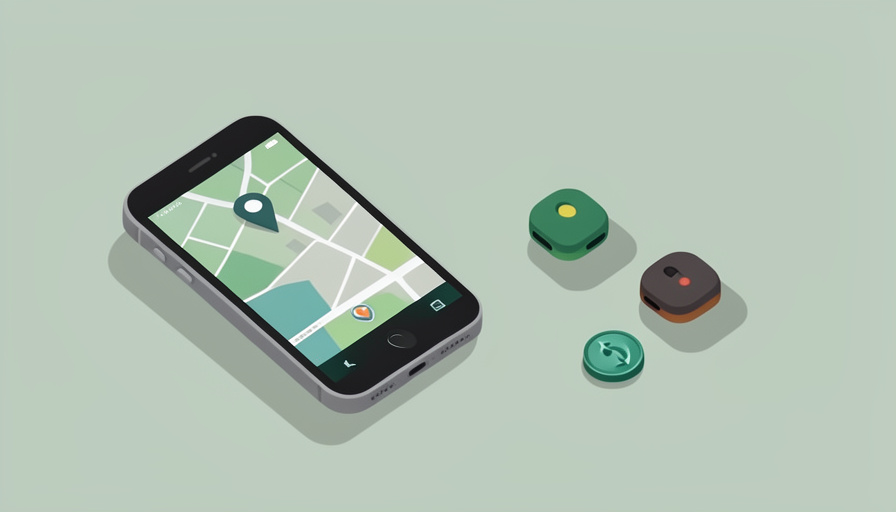

You switched to Android, or you never left, and you want to keep track of your keys, your bag, or your bike. The obvious tag is Apple’s AirTag, except it barely works for you: it leans on Apple’s network, its full features need an iPhone, and when the battery dies you can swap it, but the whole thing is built around a world you are not in. Meanwhile you have heard the stories about tags being used to follow people, and you want one that actually warns you if that happens.
The best AirTag alternatives for Android are the Bluetooth trackers that ride Google’s Find My Device network, alert you if an unknown tag seems to be following you, and take a coin battery you can replace yourself instead of tossing the whole tracker. That combination, a big finding network, anti-stalking protection, and a swappable battery, is exactly where several trackers now beat AirTag for Android users. Here are six worth considering, and how they stack up on the things that matter.
Quick Take
- For most Android users, a tracker on Google’s Find My Device network, like Chipolo or Motorola, gives AirTag-style finding with a replaceable battery.
- Samsung phone owners get the tightest experience from the Galaxy SmartTag2, while Tile works across platforms with its own network.
- Android now warns you about unknown trackers following you, and tags on Google’s network are covered by that protection, which is the anti-stalking piece.
A quick safety note: if you ever believe you are being tracked by someone who may be dangerous, prioritize your safety and contact local authorities or a support service rather than only relying on an app alert.
1. Chipolo ONE Point
Chipolo’s ONE Point is one of the strongest all-round choices for Android, because it works with Google’s Find My Device network, so it can be located through the vast crowd of Android phones the way an AirTag uses iPhones. It is famously loud, which helps for keys lost in the house, and it takes a replaceable coin battery, so a dead tag is a quick swap rather than a bin job. Coverage through Google’s network means solid finding range in populated areas. For an Android user who wants the closest thing to the AirTag experience with a battery you control, it is a natural first pick.
2. Samsung Galaxy SmartTag2
If you carry a Samsung Galaxy phone, the Galaxy SmartTag2 gives you the tightest, best-integrated experience, since it uses Samsung’s own SmartThings Find network of Galaxy devices. It offers long battery life from a replaceable coin cell, precise finding on supported phones, and Samsung’s own unknown-tag alerts for the anti-stalking side. The catch is that its full features are tied to the Samsung ecosystem rather than all of Android, much as AirTag is tied to Apple. For Galaxy owners, that trade is worth it, delivering accurate tracking and a swappable battery within the phone they already use.
3. Motorola Moto Tag
The Moto Tag is built for Google’s Find My Device network and designed to feel native on modern Android phones, with support for the newer precision-finding features on compatible hardware. It uses a replaceable coin battery, includes a button for simple actions, and benefits from the same network reach and unknown-tracker protections that come with Google’s ecosystem. It is a clean, well-priced option for Pixel and other recent Android users who want a tag that behaves like a first-party accessory. If you want current features on Google’s network with a battery you can change, the Moto Tag is a strong contender.
4. Tile Pro
Tile takes a different route: rather than relying on Apple or Google, it runs its own long-standing finding network across both platforms through the Tile app. The Tile Pro offers longer Bluetooth range and a loud ring, and it uses a replaceable battery, so it fits the swappable-cell requirement. Because it is cross-platform, it suits households that mix Android and iPhone, and it does not depend on which phone network is nearby. Tile also provides its own tools around unwanted tracking. For range, cross-platform flexibility, and independence from the big two networks, the Tile Pro remains a dependable choice.
5. Chipolo POP
The Chipolo POP is the pick if you want to hedge your bets across ecosystems, because it can work with either Google’s Find My Device network or Apple’s Find My, letting you choose at setup. That flexibility is handy if you might switch phones or share tags in a mixed household, and it keeps the loud ring and replaceable battery Chipolo is known for. You commit to one network per tag rather than both at once, but the ability to pick means the same product serves an Android user today and an iPhone later. For adaptability with a swappable battery, the POP is clever value.
6. Pebblebee Clip
The Pebblebee Clip earns a place with a twist on the battery question: it works with Google’s Find My Device network and Apple’s Find My, but rather than a replaceable coin cell it uses a rechargeable battery you top up over USB. That means no coin batteries to buy at all, which some people prefer to swapping cells, though it is worth flagging since it does not meet a strict replaceable-battery requirement. It offers the network reach and anti-stalking coverage of Google’s ecosystem on Android. If a rechargeable tag appeals more than a replaceable one, the Pebblebee Clip is the standout in that category.
At a Glance: Android Trackers Compared
| Tracker | Works with | Battery | Anti-stalking coverage |
|---|---|---|---|
| Chipolo ONE Point | Google Find My Device | Replaceable coin | Android unknown-tracker alerts |
| Samsung SmartTag2 | SmartThings Find (Galaxy) | Replaceable coin | Samsung and Android alerts |
| Motorola Moto Tag | Google Find My Device | Replaceable coin | Android unknown-tracker alerts |
| Tile Pro | Tile network (both OS) | Replaceable | Tile’s own scan tools |
| Chipolo POP | Google or Apple | Replaceable coin | Alerts on chosen network |
| Pebblebee Clip | Google or Apple | Rechargeable | Alerts on chosen network |
Networks, features, and unknown-tracker detection evolve, so confirm current Android and network support for any tracker before buying.
How the Anti-Stalking Protection Works
The reassuring shift for Android users is that unwanted-tracking protection is now built into the phone. Android can alert you if an unknown compatible tracker appears to be moving with you over time, and a cross-platform standard means both Android and iPhones can detect trackers from the major networks, so a tag meant to follow you is far more likely to be caught. Trackers on Google’s Find My Device network fall under this protection, and Samsung and Tile add their own scanning tools. No system is perfect, so if an alert appears, take it seriously, locate the tag, and involve authorities if you believe it was planted, but the safety net is real and improving.
Frequently Asked Questions
Do AirTags work with Android at all?
Only in a very limited way. An Android phone can detect an unknown AirTag that may be tracking you, and you can tap it to read basic information, but you cannot use an AirTag to track your own belongings from an Android phone, since setup and finding require an iPhone and Apple’s network. That is exactly why Android users need a different tag. The trackers built for Google’s Find My Device network, or Samsung’s and Tile’s networks, give you the finding features AirTag reserves for Apple, which is the whole point of choosing an alternative.
Which tracker is best if I have a Samsung phone?
For Samsung Galaxy owners, the Galaxy SmartTag2 is usually the best fit, because it plugs directly into Samsung’s SmartThings Find network and the tools already on your phone, giving accurate finding, long battery life, and Samsung’s own unknown-tag alerts. It is the Samsung-world equivalent of how AirTag suits iPhone users. If you want something that also works well if you later switch away from Samsung, a tracker on Google’s broader Find My Device network, like Chipolo or Motorola, is more portable across Android phones, but for a committed Samsung user the SmartTag2 is hard to beat.
Will these trackers warn someone if I use one to follow them?
Yes, and that is by design. Modern phones, both Android and iPhone, can alert a person when an unknown tracker from the major networks seems to be traveling with them, which is meant to prevent exactly that misuse. These tags are for finding your own belongings, not people, and the built-in detection is there to protect against stalking. If your intent is to keep tabs on another person without their knowledge, these trackers are increasingly designed to expose that, and doing so can be illegal. Use them for your keys, bags, and gear, and let the anti-stalking features do their job.
Are replaceable batteries better than rechargeable in a tracker?
It depends on your preference. A replaceable coin battery, typically lasting about a year, means you never have to remember to charge the tag; you just swap a cheap cell when it dies, and the tracker keeps a slim profile. A rechargeable tag like the Pebblebee avoids buying coin cells at all but needs occasional charging over USB. Neither is strictly better: replaceable suits people who want to forget about the tag for months, while rechargeable suits those who would rather plug in than buy batteries. Choose based on whether you would rather swap a cell once a year or top up occasionally.
Track Your Stuff, Not Yourself
Android users no longer have to envy the AirTag. Trackers on Google’s Find My Device network, plus Samsung’s and Tile’s ecosystems, deliver the same effortless finding, add unknown-tracker alerts that protect you from being followed, and in most cases take a coin battery you can swap in seconds. Match the tag to your phone, Chipolo or Motorola for broad Android use, the SmartTag2 for Samsung, Tile for cross-platform, and decide whether you prefer a replaceable cell or a rechargeable one. Then attach it to your keys and forget about it. For the flip side, locking down how location tracking can be misused, see our guide to the ways Find My tracking gets abused and the settings to fix it, or browse Wayodd’s Gadgets & Tech section.


































































No Comments
Leave a comment Cancel