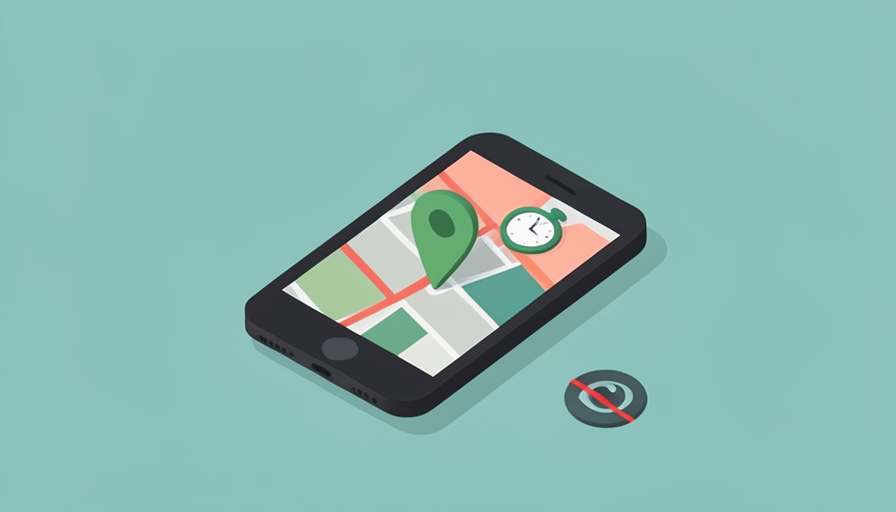

You want to know your teen got to practice, got home, is where they said they would be. They want that too, mostly. What they do not want is to feel monitored every second, scored on how fast the car went, and reduced to a dot someone watches all day. Life360 does the safety job, but its constant tracking, driving reports, and history of selling location data can turn a reasonable check-in into something that feels like surveillance, and that erodes the trust the whole thing was meant to protect.
The best Life360 alternatives privacy teens and parents can both live with share location for genuine safety without the always-on monitoring, behavior scoring, and data-selling that make Life360 feel invasive. The healthiest versions lean on temporary or on-demand sharing and simple presence, “I’m here, I’m safe”, rather than a live feed of every movement. Here are six alternatives that keep the reassurance while giving a teen back some dignity, and how each one shares location differently.
Quick Take
- Native tools like Apple Find My and Google Maps location sharing offer family location without ads, driving scores, or data-selling.
- For sharing only when it matters, Glympse and WhatsApp live location are temporary and expire on their own, so no one is tracked around the clock.
- The goal is trust: pick sharing that reassures without surveilling, and agree on it together rather than imposing it.
A note on trust: location sharing works best as a mutual agreement that keeps a young person safe, not as covert monitoring. The healthiest setup is one both parent and teen understand and consent to. Talk about what is shared and why, and revisit it as your teen earns more independence.
1. Apple Find My
For families on iPhones, Apple Find My is the natural, privacy-respecting choice. It lets people share their location with chosen family members, shows where everyone is on a map, and can notify on arrival or departure, all without advertising, driving scores, or selling data to third parties. It feels less like being watched because it is a simple presence tool rather than a behavior tracker, and Apple’s privacy stance means the data stays within the family. A teen can also see who can see them and stop sharing, which supports a sense of control. For an all-Apple household, it covers the safety need cleanly.
2. Google Maps Location Sharing
Google Maps has built-in location sharing that works across iPhone and Android, letting you share with specific people either for a set period or ongoing, and stop anytime. It shows a location on the map without the driving reports or gamified monitoring Life360 layers on, so it reads as a map feature rather than a surveillance app. The ability to share for just a few hours, then have it end automatically, suits a teen going somewhere specific without committing to permanent tracking. For a mixed-device family that already uses Google, it is a familiar, no-extra-app way to stay reassured.
3. Glympse
Glympse is built around exactly the idea that fixes the trust problem: temporary, expiring location shares. You send your live location to someone for a set length of time, and when the timer runs out, the sharing simply stops on its own, with no ongoing tracking and no account-based history following you around. It is ideal for “I’m on my way, watch me get there safely,” then done. Because nothing is permanent, it never feels like constant monitoring. For a teen who is happy to share the journey home but not their whole day, Glympse is the cleanest match for that boundary.
4. WhatsApp Live Location
If your family already uses WhatsApp, its live location feature is a simple, private option. You share your real-time location in a chat for a chosen window, from fifteen minutes up to several hours, and it ends automatically, all protected by the app’s end-to-end encryption. There is no separate tracking app, no driving analysis, and no data broker in the middle. It suits sharing during a specific trip or event rather than around the clock, and the teen controls when it starts and stops. For families who message on WhatsApp anyway, it turns a chat they already use into an on-demand safety tool.
5. Snapchat Snap Map
Many teens already live on Snapchat, and its Snap Map can double as light location sharing among trusted people. Importantly, it defaults to Ghost Mode, meaning you are not visible unless you choose to be, and you decide exactly which friends or family can see you. That opt-in design flips the usual dynamic: sharing is a deliberate choice rather than a default state of being tracked. It is more social than a dedicated safety app and not a full replacement for every situation, but for a teen comfortable there, sharing location with a parent on their own terms can feel far less intrusive than mandated monitoring.
6. Native Android Sharing
Android users have built-in options too, including Google’s Find My Device network and the location sharing within Google Maps and Messages, which cover the essentials without a dedicated tracking app. These native tools focus on presence and finding a lost phone rather than logging behavior, so they avoid the surveillance feel. Sharing can be turned on for a person and off again, keeping control in the user’s hands. For an Android household that wants the reassurance of knowing where someone is, without ads, scores, or a third-party company profiting from the data, the phone’s own features are often enough.
At a Glance: How Each Shares
| Option | Sharing style | Data and extras | Best for |
|---|---|---|---|
| Apple Find My | Ongoing, presence only | No ads or data-selling | All-iPhone families |
| Google Maps sharing | Timed or ongoing | Map feature, no scores | Mixed-device families |
| Glympse | Temporary, expires | No account history | Journey-only sharing |
| WhatsApp live location | Timed, in chat | End-to-end encrypted | WhatsApp households |
| Snapchat Snap Map | Opt-in, chosen friends | Ghost Mode default | Teens already on Snapchat |
| Native Android | On and off per person | Presence and find phone | Android households |
App features and privacy settings change, so confirm the current sharing and data options before relying on any of these.
Frequently Asked Questions
Why do teens dislike Life360 so much?
Mostly because it can feel like constant surveillance rather than a safety net. Beyond showing location, it has offered features like driving reports and detailed history that make a teen feel scored and watched at all times, and the company has faced criticism over selling location data. That combination, always-on monitoring plus concerns about where the data goes, is what turns many teens against it, and it can strain the parent-teen relationship. The alternatives here address that by focusing on simple presence or temporary sharing, and by avoiding data-selling, which keeps the safety benefit without the feeling of being tracked every minute.
Is there a location sharing app that doesn’t track constantly?
Yes. Glympse and WhatsApp live location are designed around temporary sharing that expires on its own, so no one is tracked around the clock, they share a specific journey or window and then stop. Google Maps also lets you share for a set period rather than permanently. These suit families who want reassurance for particular situations, like getting home at night, without a live feed of every movement all day. If the goal is knowing a teen arrived safely rather than monitoring them continuously, temporary sharing achieves it while respecting privacy, and it tends to feel far more comfortable for the person sharing.
Are the native phone tools really private compared with Life360?
Generally, yes. Apple Find My and the location sharing built into Google Maps and Android focus on presence and finding devices rather than analyzing behavior, and they do not wrap the data in advertising or a business model built on selling location, as third-party trackers have been criticized for. Data stays largely within the platform you already trust with your account. They are not perfect, and you should still review each one’s settings, but for most families they offer the core reassurance of knowing where someone is with far less of the surveillance apparatus and data-broker risk that makes dedicated tracking apps feel invasive.
How do I keep my teen safe without making them feel watched?
Make it a shared agreement rather than something imposed. Explain what you want to know and why, usually just that they arrived somewhere safely, and choose the least intrusive tool that meets it, such as temporary sharing for specific trips rather than all-day tracking. Let your teen see and control their own sharing, and loosen it as they show they can be trusted, so location sharing becomes part of building independence rather than resisting it. The apps matter less than the approach: reassurance built on mutual consent protects both safety and the relationship, while covert or constant monitoring tends to damage the trust you actually want.
Share Safety, Not Surveillance
Knowing your teen is safe should not require treating them like a suspect. The alternatives to Life360 prove you can have the reassurance without the surveillance: Apple Find My and Google’s tools give presence without ads or data-selling, while Glympse and WhatsApp share only a specific journey and then stop. Pick the one that fits your devices and, more importantly, agree on it together, sharing enough to stay safe and no more. Done that way, location sharing supports the trust between you instead of quietly wearing it down. For more on privacy-minded location settings, see our guide to the ways location tracking gets abused and how to lock it down, or browse Wayodd’s Family & Personal section.





























































No Comments
Leave a comment Cancel