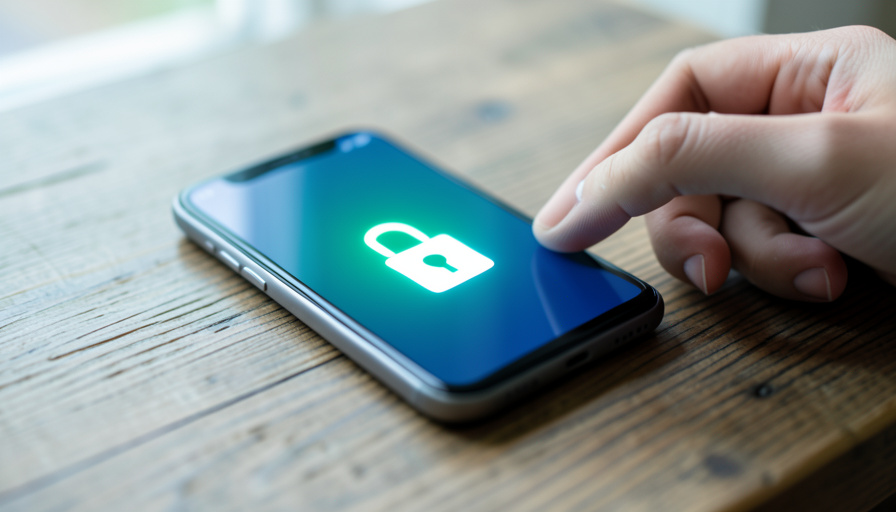

Android’s anti-theft lock changes the used-phone math in two directions at once, and only one of them helps the buyer automatically.
Android spent the last two years turning a stolen phone into a paperweight. Theft Detection Lock, Identity Check, and a tougher Factory Reset Protection now make it genuinely hard for a thief to wipe and resell a handset. If you are shopping secondhand, the natural question is whether all that protection means a used Android is safer to buy. The honest answer is that it helps the market and raises the stakes for your specific purchase, so the checks you run matter more than they used to.
Quick Answer
- The market gets a little safer: a phone that cannot be reset and resold is worth less to a thief, so fewer stolen Androids circulate over time.
- Your purchase gets riskier if you skip the checks. If the previous owner did not remove their Google account, Factory Reset Protection can hand you a phone you cannot set up.
- Before you pay, check the IMEI against a blacklist, confirm no Google account is signed in, and run a factory reset yourself to prove the phone is clean.
Table of Contents
What Android’s anti-theft lock actually does
The 2026 suite is a stack of features aimed at the moment a phone leaves your hand. Theft Detection Lock uses motion sensors and AI to spot a snatch-and-run and locks the screen instantly. Offline Device Lock trips if the phone goes dark after suspicious activity, and Remote Lock lets you secure it with just your phone number. The two that matter most for resale are Identity Check and Factory Reset Protection.
Identity Check demands biometric verification for sensitive actions taken outside your trusted locations, including a factory reset, turning off Find My Device, or adding a Google account. Factory Reset Protection then requires the original Google account credentials to set the phone up again after a wipe. Google’s own theft protection guide lays out the full set. Together, they mean a thief cannot simply reset the phone and start fresh, which is exactly the point.
So is a used Android safer to buy now?
At the market level, yes, a little. When a stolen phone cannot be wiped and reactivated, it is worth far less to whoever took it, and that slowly drains the supply of stolen handsets flowing into resale channels. Apple’s activation lock did the same thing to iPhone theft years ago, and Android is now catching up. Fewer stolen phones in circulation is a real, if gradual, win for honest buyers.
Here is the catch worth being clear about: these features protect the original owner, not you. Nothing in the anti-theft stack checks whether the specific phone in your hands was reset correctly or reported stolen. That verification is still your job, and Factory Reset Protection actually makes getting it wrong more painful, because a half-wiped phone locks you out instead of just annoying you.
The real risk: a factory-reset-protected brick

The most common way a used Android purchase goes wrong is not a dramatic theft story, it is a botched reset. If the seller wipes the phone without first removing their Google account, or if the device was reported lost, you hit the account-verification screen on setup and cannot get past it. Search any Android help forum and you will find a steady stream of buyers stuck on exactly this, from a used Moto G to a Pixel on Android 16.
Factory Reset Protection is doing its job in those cases, since it cannot tell an honest reseller from a thief. That is precisely why the burden shifts to you to confirm the phone is properly deregistered before money changes hands, rather than discovering it at home.
A used-Android buyer checklist
Run these in order, ideally with the phone in your hands and the seller present. Any single failure is a reason to walk.
- Check the IMEI against a blacklist. Dial *#06# to display the IMEI, then run it through the CTIA Stolen Phone Checker or your carrier to confirm it is not reported lost, stolen, or blocked for unpaid financing.
- Confirm no Google account is signed in. Open Settings, look under Passwords and accounts, and check that Find My Device is off. A signed-in account before the sale is a Factory Reset Protection lock waiting to happen.
- Do a factory reset in front of the seller. Reset the phone and set it up yourself. If setup asks for a previous Google account you do not have, stop the deal there.
- Test activation with a SIM. Put a working SIM in and confirm the phone connects to a network, which rules out a carrier lock or a blacklist you might have missed.
- Get a receipt. A simple note with the IMEI, the seller’s name, the date, and the price protects you if the phone is flagged later.
Buying through a platform that verifies IMEIs before listing, like Swappa, removes a lot of this risk up front, which is often worth the slightly higher price over a random marketplace ad. For the broader trap of fake sellers, our guide on the verified-seller badge scam on electronics is a useful companion.
What to watch out for
A few warning signs separate a good deal from a future headache:
- A phone still on the seller’s financing. It works today, then goes dark when the carrier blacklists it for missed payments. The IMEI check is what catches this.
- “I can’t reset it right now.” A seller who will not let you wipe and set up the phone is hiding either a locked account or a problem.
- A flagship priced like a mid-ranger. A too-good deal on a recent phone is the classic profile of stolen or blacklisted stock.
- No original account removal. Even an honest seller can forget, so treat account removal as a step to verify, not to assume.
Key Takeaways
- Android’s anti-theft lock makes stolen phones hard to resell, which slowly makes the used market safer.
- The features protect the original owner, so verifying your specific purchase is still on you.
- Factory Reset Protection turns a bad buy into a lockout, so confirm the Google account is removed before paying.
- The IMEI check and a reset test done in person catch almost every problem.
Frequently Asked Questions
Does Android’s anti-theft lock make used phones safer to buy?
Indirectly, yes. Because a stolen phone can no longer be wiped and resold easily, fewer stolen Androids reach the used market, which lowers the odds of buying one by accident. The features do not verify your specific phone, though, so you still need to check the IMEI and confirm the previous account is removed before you pay.
How do I check if a used Android is FRP locked?
Do a factory reset with the seller present and go through setup yourself. If the phone reaches the home screen without asking for a previous Google account, Factory Reset Protection is clear. If it demands an account you do not have, the phone is FRP locked and you should not buy it.
How do I check a used phone’s IMEI before buying?
Dial *#06# on the phone to display the IMEI, then run that number through a blacklist service like the CTIA Stolen Phone Checker or your mobile carrier. A clean result means the phone is not reported lost or stolen and is not blocked for unpaid financing. A flagged IMEI means the phone can be cut off from networks.
Can a stolen Android still be used after a factory reset?
Usually not on modern Android. Factory Reset Protection requires the original Google account to complete setup after a wipe, and Identity Check blocks a thief from disabling these protections. That is what makes stolen phones hard to resell, but it also means an honest seller must remove their account for the phone to work for you.
Is it safer to buy a used phone from Swappa or a marketplace?
A platform that verifies IMEIs before listing, such as Swappa, screens out reported and blacklisted phones that a general marketplace does not. You often pay a little more, but the reduced risk of a locked or blocked device is usually worth it, especially for a pricier handset.
The Bottom Line
Android’s anti-theft lock is quietly shrinking the pool of stolen phones, so the used market is a bit safer than it was, but that safety does not transfer to any single purchase on its own. Treat the protections as a reason to buy secondhand with confidence only after you run the checks: verify the IMEI, confirm the Google account is gone, and reset the phone yourself before you pay. Do that, and a used Android in 2026 is a solid buy. For more phone-buying and mobile guidance, browse Wayodd’s Mobile section, or compare buying new versus used with our take on refurbished marketplace versus outlet deals.

































































No Comments
Leave a comment Cancel